


Affirm B2C payment gateway add-on for Cs-cart
Revolutionize Your Checkout with Affirm: Seamless, Flexible and Secure Payments for Every Purchase
- Affirm B2C payment gateway add-on ensures a smooth and quick integration with your E-Commerce platform.
- Designed for B2C E-Commerce platforms, it enhances flexible payment solutions for enhancing customer satisfaction and boosting conversions.
- Affirmpay payment gateway add-on builds customer trust with a reliable and trustworthy payment solution.
- For admins , it streamlines order management , provides advanced payment tracking and allows for customizable configurations , all while ensuring secure transactions.
- For customers , it offers a flexible ‘Pay in installments’ BNPL option and a seamless checkout experience.
- Affirmpay payment gateway add-on allows payment in Canadian Dollar (CAD) and United State Dollar (USD).
Why our Affirmpay payment gateway add-on is the ultimate choice for E-commerce Enhancement?
Hassle-Free Integration: This add-on ensures a smooth and hassle-free integration process, allowing you to quickly and effortlessly connect your CS-Cart store with the Affirmpay payment gateway add-on.
Add-on Installation Steps
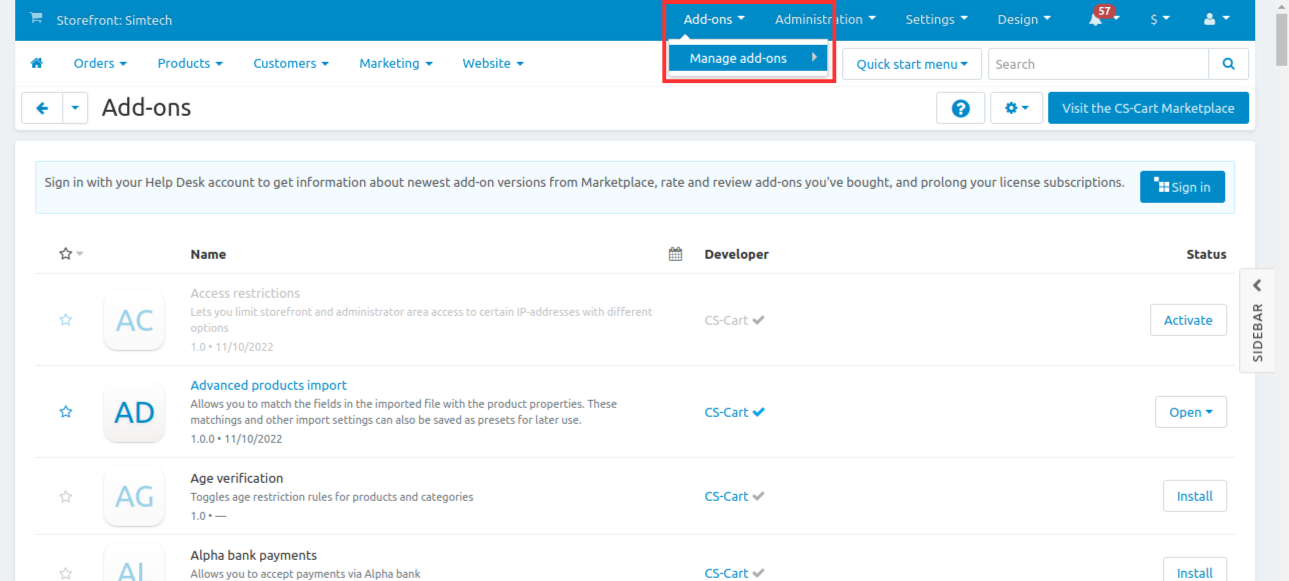
Step 1 : Open the Add-ons drop-down and select ‘Manage add-ons’

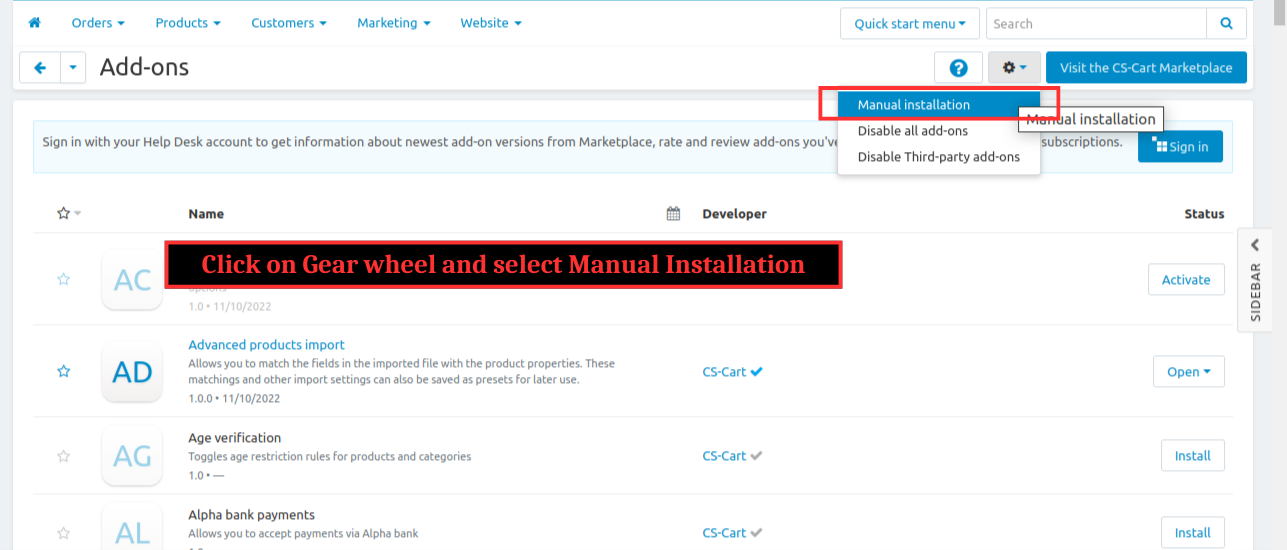
Step 2 : Click on the gear wheel and select manual installation

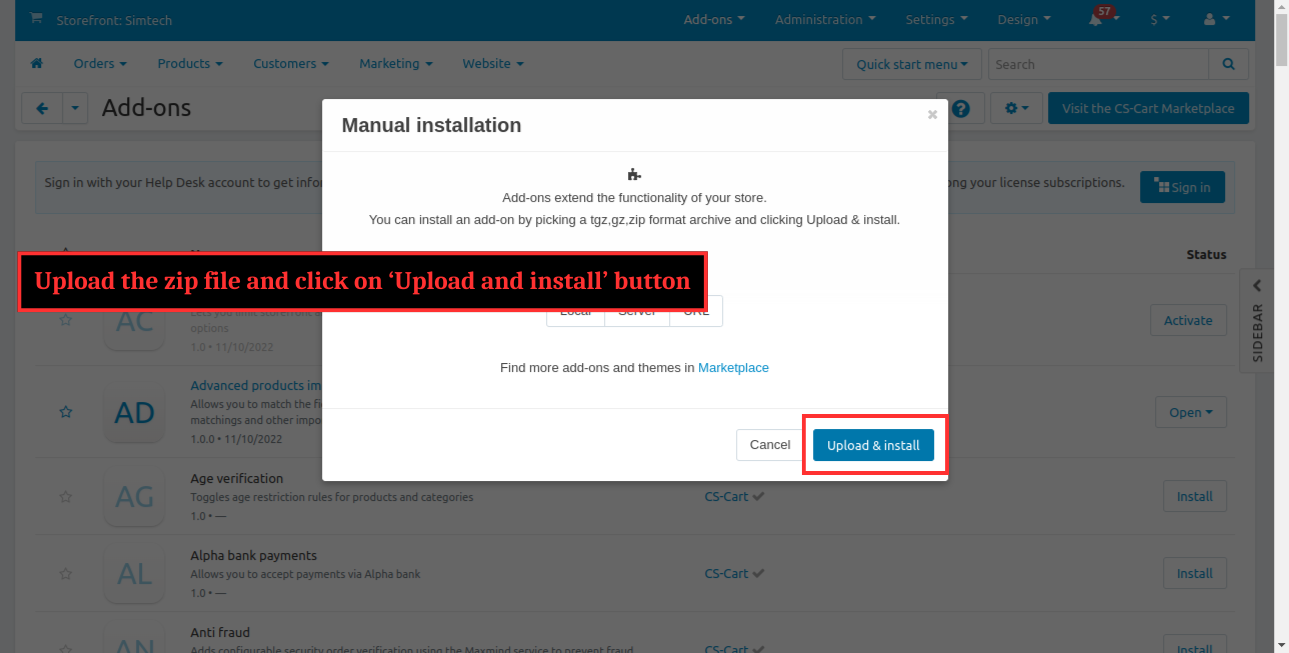
Step 3 : Upload the zip file and click ‘Upload and install’

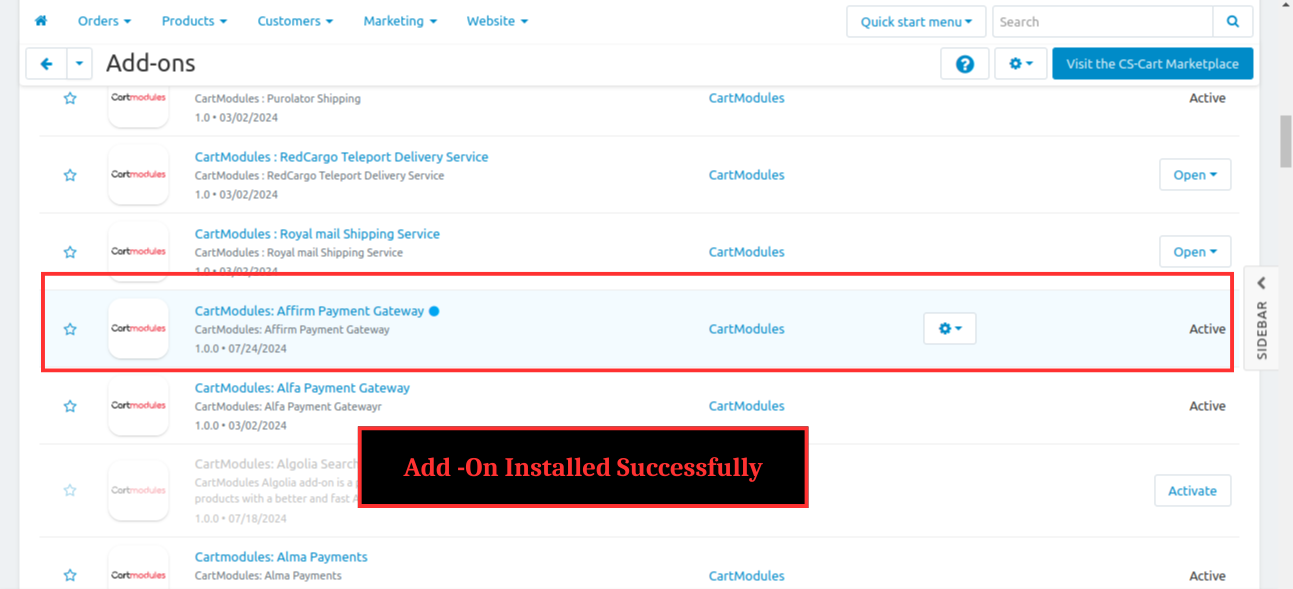
Step 4 : Add-on installed successfully

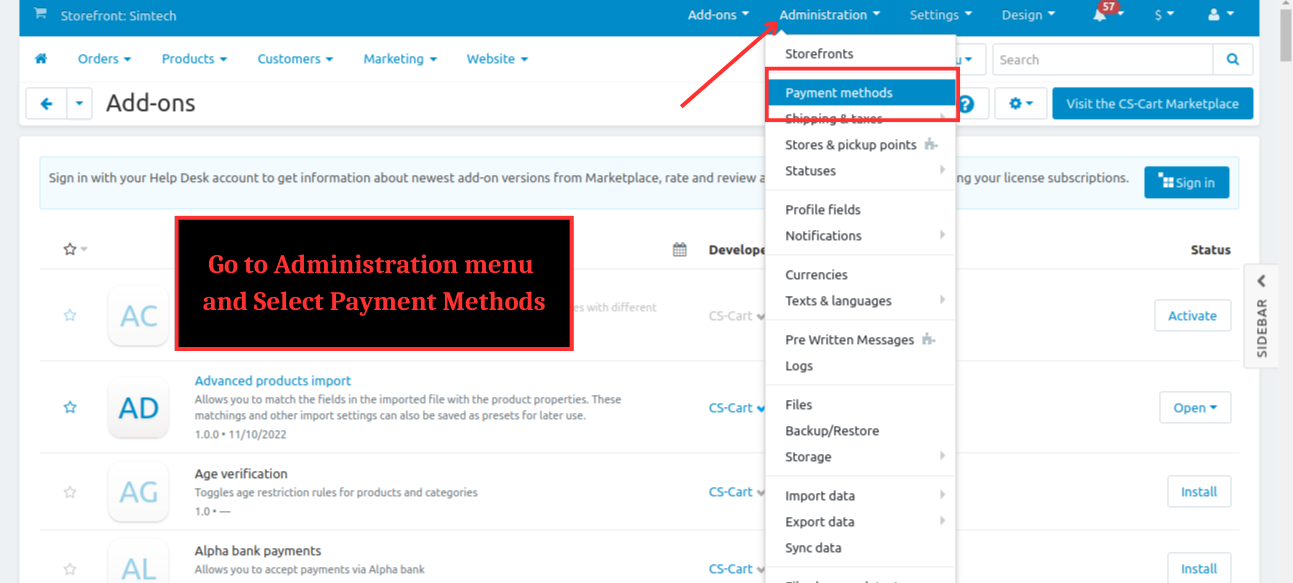
Step 5 : Go to Administration menu and Select Payment Methods
%201.png?1724834361433)
Step 6 : Click on + to add a new payment method
%202.png?1724834376218)
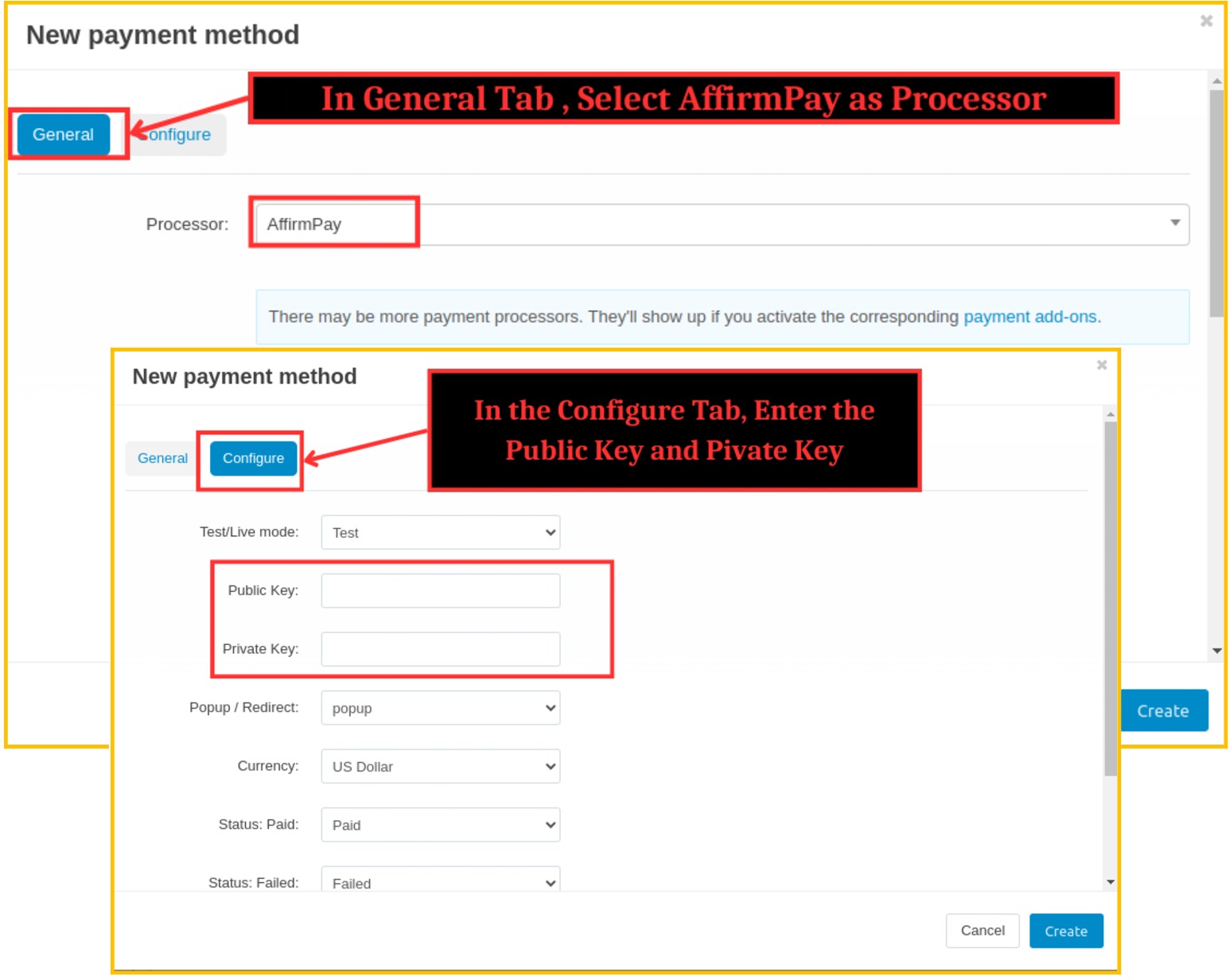
Step 7 : In General Tab , Select AffirmPay as Processor
In Configure Tab , Enter the Public Key and Private Key -> Click on Create

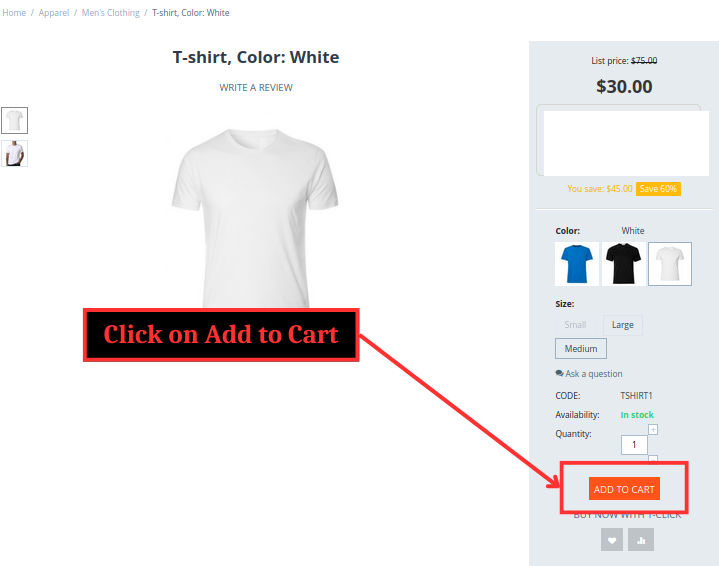
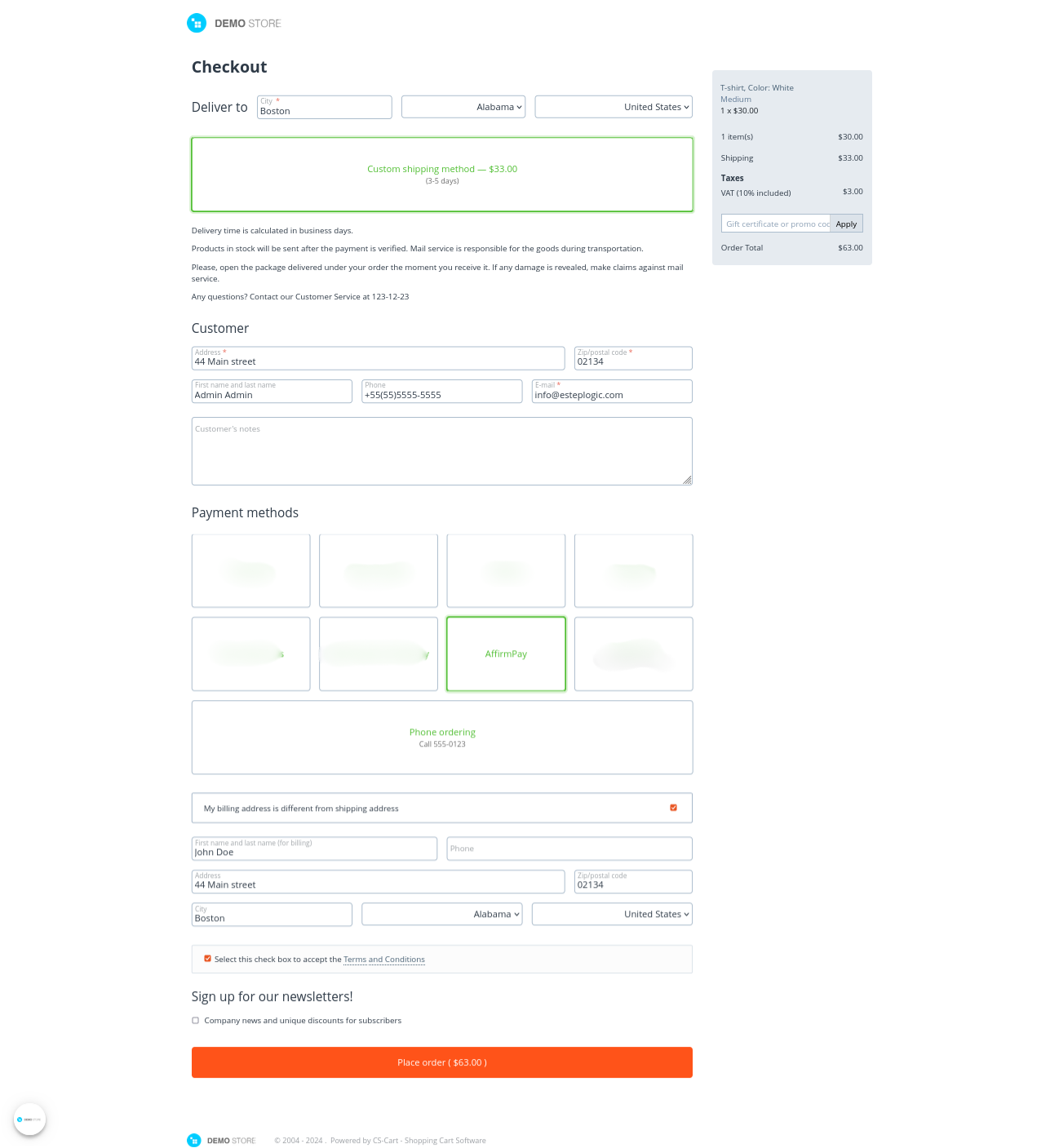
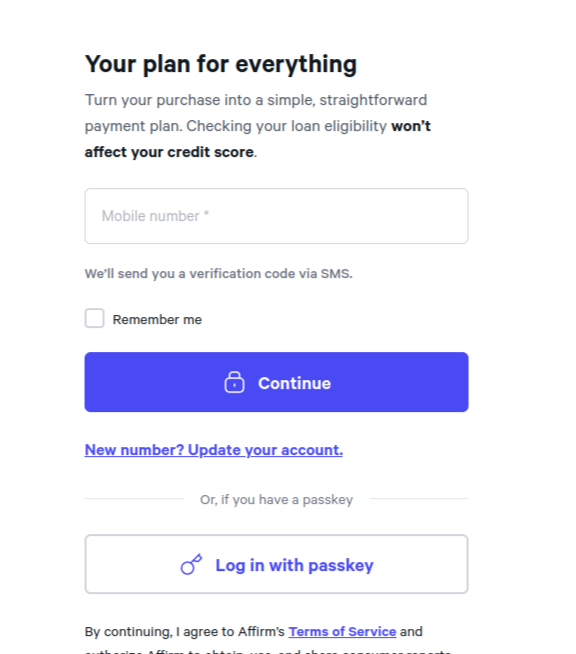
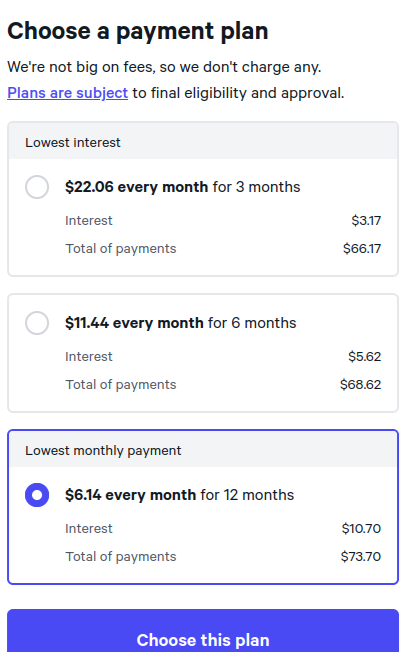
Step 8 : Now at front end , open a product and add it to cart and proceed to checkout and click on place order with Payment Method AffirmPay selected
%201.png?1724834483341)
%202.png?1724834503577)
Log in or Update your Account

Choose a Payment Plan and click Choose this plan

Review Details and click on confirm after selecting the checkbox

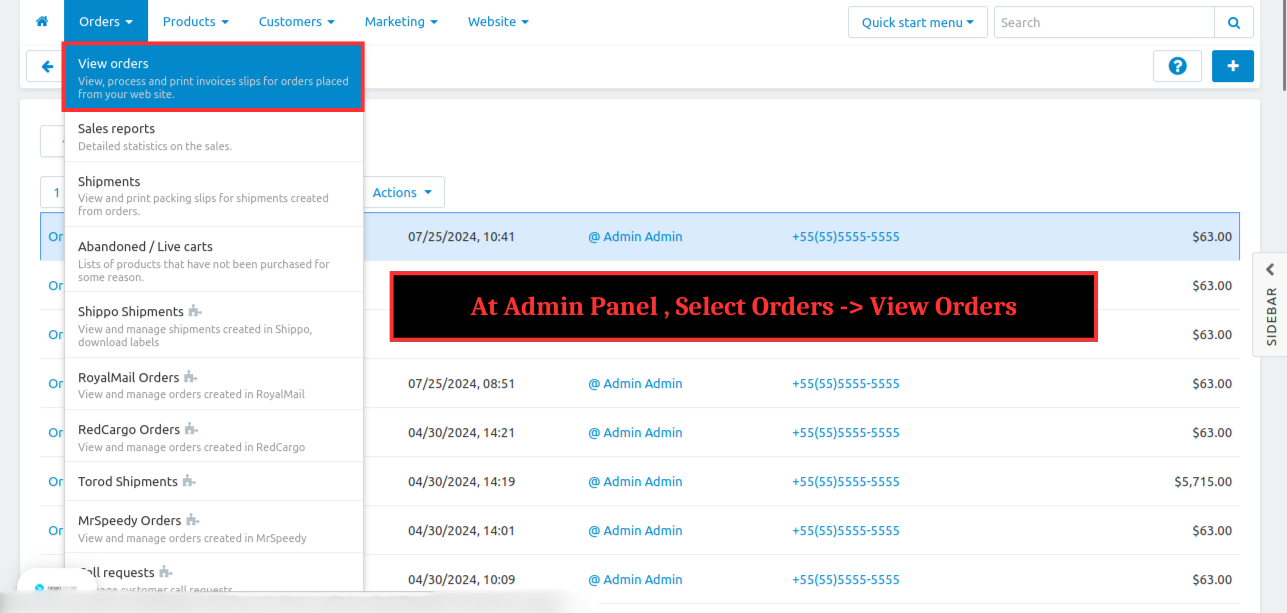
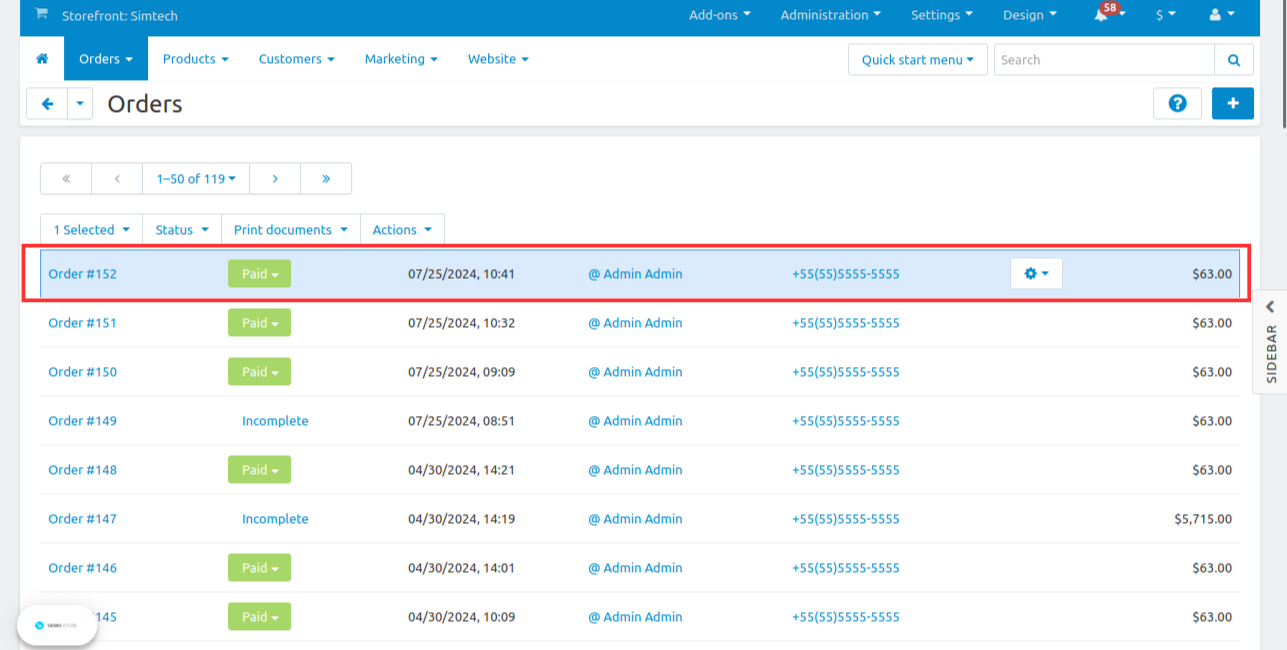
Step 9 : At Admin Panel , Select Orders -> View Orders, the order placed successfully
%205.png?1724834599897)
Step 10 : Click on the Order Number to View the Order Details
%206.png?1724834618881)
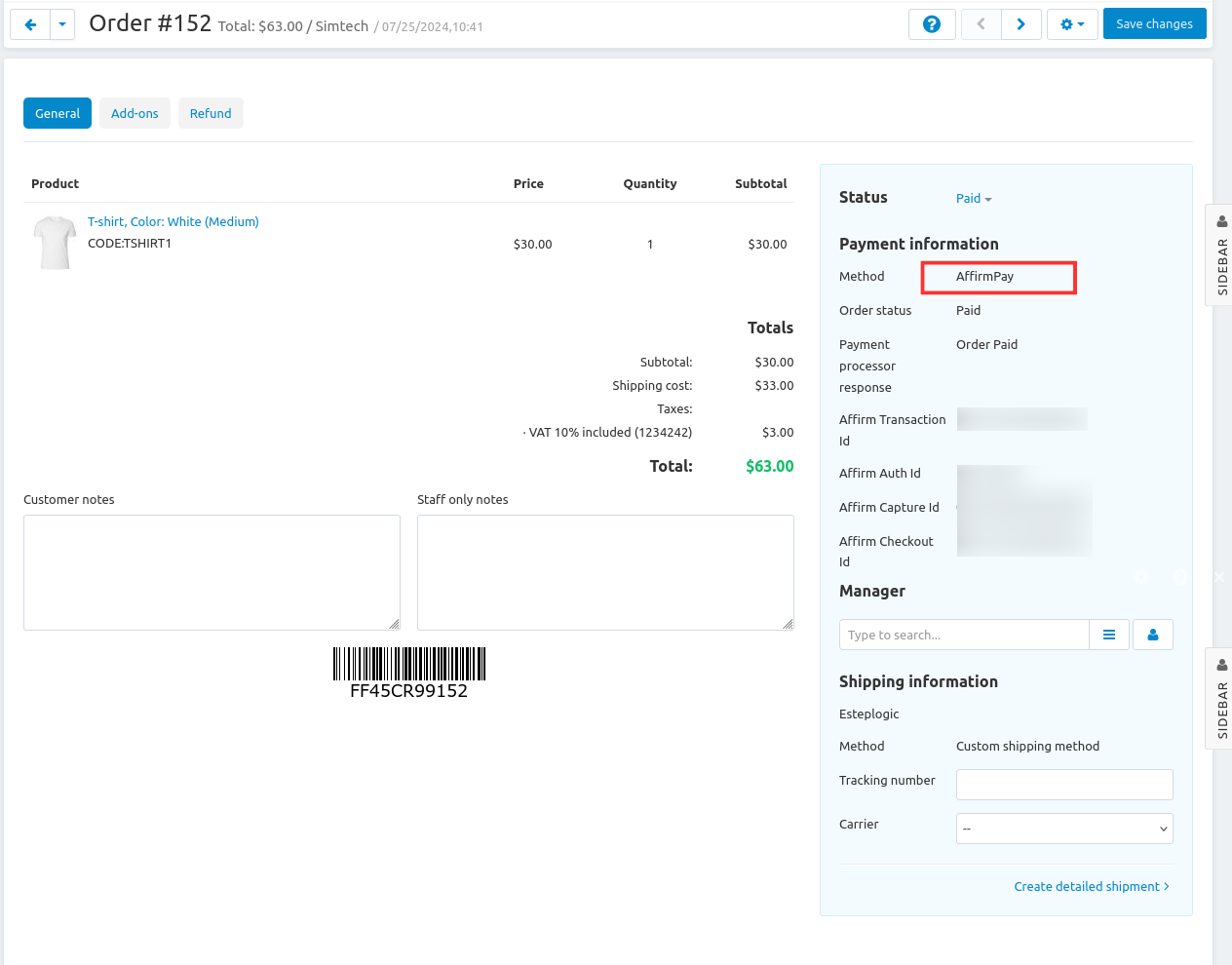
Step 11 : Here , admin can view the order details containing Payment Method AffirmPay
%207.png?1724834640794)
- Transparent payment process: During checkout, the customer is temporarily directed to AffirmPay’s gateway portal. Following payment, the customer is routed back to your store with an appropriate notice indicating whether the payment was successful or was rejected for some reason.
- Competitive Edge: By utilizing our AffirmPay Payment Gateway Add-On, you gain a competitive edge in the e-commerce market. Offering an effortless payment experience, extensive features, and robust security measures, you position your business for success and stand out from the competition.
Using this add-on, you can easily track successful payments, failed transactions and other relevant data, providing valuable insights into the performance of your payment processes.
By connecting the AffirmPay payment gateway to your CS-Cart store in just one step, you can simplify transactions and provide customers with a reliable Affirm payment option.
By choosing CartModules, you gain access to a reliable and trusted payment solution that enhances customer satisfaction, boosts conversions, and fosters remarkable growth and success. Embrace the power of Affirm with our Affirm payment gateway add-on.