


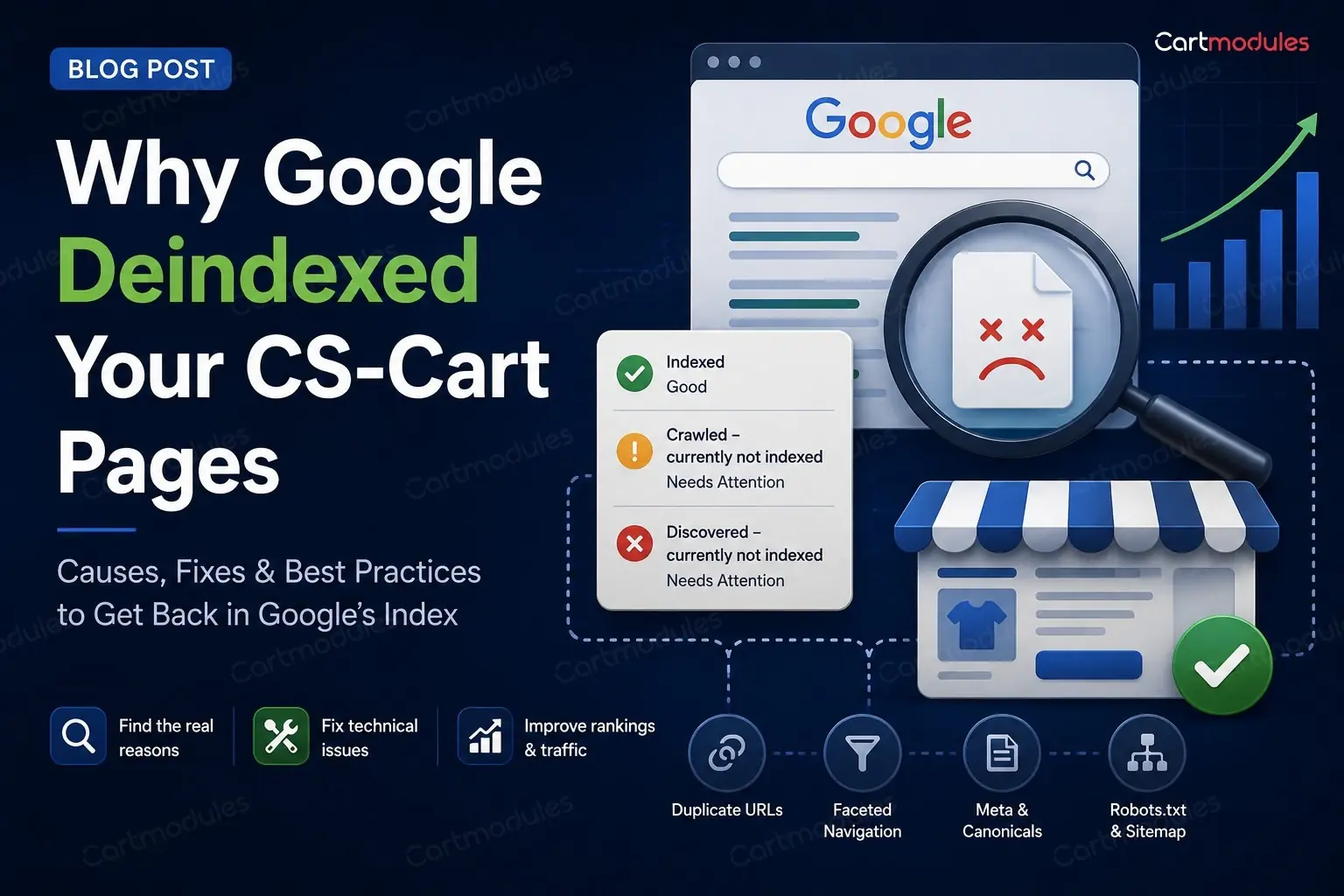
Why Google Deindexed Your CS-Cart Pages
You had five thousand pages indexed. Now you have a few hundred. Or you've got a hundred thousand products and Search Console says a few hundred are indexed. Either way the graph in Search Console goes down and to the right and nobody can tell you why.
One of the most common causes isn't a penalty. It's that your store is generating far more URLs than it has actual pages, and Google has decided most of them aren't worth keeping.
Here's how to find them and what to do.
The problem in one paragraph
A store has a set number of real things: products, categories, a few content pages. But a store makes up an endless number of URLs: every filter combination, every sort order, every search query, every comparison, every session-tagged link. Google crawls what it finds. If most of what it finds is near-identical thin pages, it burns your crawl budget on rubbish, decides the good pages aren't distinguishable from the rubbish, and starts dropping things.
The fix is to make the real pages obvious and the generated ones invisible.
Step 1: find out what's actually indexed
Don't guess. Look.
Search Console ? Pages. Read the "Not indexed" reasons carefully, because they tell you which problem you have:
- "Duplicate without user-selected canonical": Google found several pages it thinks are the same and picked one. Your canonicals aren't doing their job
- "Duplicate, Google chose different canonical than user": you set a canonical and Google overruled it. Usually means your internal linking contradicts your canonical
- "Crawled, currently not indexed": Google crawled the URL but hasn't included it in the index. Thin, duplicate or low-value content can all contribute
- "Discovered, currently not indexed": Google knows the URL exists but hasn't crawled it yet. Often a sign that Google is discovering more URLs than it considers worth crawling, and a strong hint you have too many junk URLs
- "Alternate page with proper canonical tag": this one is fine. Working as intended
Then look at your access logs, filtered to Googlebot. This is the part almost nobody does and it's the most revealing:
grep -i googlebot /var/log/nginx/access.log | awk '{print $7}' | sort | uniq -c | sort -rn | head -50
If Googlebot is spending its time on filter URLs and comparison pages instead of your products, there's your answer in one command.
Step 2: the URLs that shouldn't be indexed
Raw dispatch URLs
CS-Cart has SEO-friendly URLs, but the underlying index.php?dispatch=... form still works. If anything links to it (an old template, an add-on, an email, an external site), you now have two URLs serving one page.
Search for site:yourstore.com inurl:dispatch and see what comes back.
Filter and faceted URLs
The big one for most stores.
Every combination of filters can produce a URL. Colour, size, brand, price range, and any combination of them. Three filters with ten values each is a thousand possible pages, nearly all of them showing a handful of products and near-identical text.
Google doesn't want a thousand versions of your category page. Neither do you.
What to do:
- Canonical filtered pages to the unfiltered category. A page showing "blue shirts under $30" should point its canonical at the shirts category
- Keep the genuinely valuable ones. If "blue shirts" is a real search with real volume and you'd build a landing page for it, let that one index, but treat it as a page with its own copy, not an accidental by-product of a filter
- Block the rest in robots.txt if the volume is enormous. Careful: robots.txt stops crawling, not indexing. A blocked URL that's linked from elsewhere can still appear as a bare result.
noindexis what stops indexing, and fornoindexto be seen, the page must be crawlable. Don't do both to the same URL - Check for parameter order duplication.
?color=blue&size=mand?size=m&color=blueare the same page and two URLs
Sort orders and pagination controls
?sort_by=price, ?sort_by=name, items-per-page switches. Identical content, different order. Canonical them all to the default view.
Search results
Internal search result pages should be noindex. (If search matters to you, an external service like Algolia keeps those results off your own URLs entirely.) They're generated on demand, they're thin, and if anyone links to a search URL you can end up with unlimited indexable pages containing whatever text they searched for. This has been used to attack stores.
Comparison and wishlist pages
Product compare pages are per-visitor and meaningless to a search engine. noindex them. This has a second benefit: comparison URLs are usually excluded from full-page caching, so scrapers crawling them hit PHP directly and can genuinely take a store down.
Gift certificate, checkout and account pages
Anything behind a login or next to one, and anything to do with checkout or payment. noindex the lot.
Step 3: canonical tags
CS-Cart sets canonicals in the obvious places. The gaps are usually:
Products in more than one category. If the same product is reachable at two category paths, both need to canonical to one chosen URL. Pick a primary category per product and be consistent.
Trailing slashes. /category/shoes and /category/shoes/ both returning 200 with different canonicals is a straightforward duplicate. Pick one form, 301 the other, and make every internal link use the chosen one.
www and non-www, http and https. Should be settled by redirects, and often isn't for every path.
Multi-storefront. If several storefronts share a catalogue, make sure each one canonicals within itself and isn't pointing at another storefront's URL.
Absolute, not relative. Canonicals should be full URLs.
The test: view source on a product page reached three different ways: from a category, from search, from a filter. All three should show the same canonical.
Step 4: pagination
Category page 2, 3, 4 and so on.
The old rel="next" and rel="prev" markup is no longer used by Google as an indexing signal. What matters now:
- Paginated pages should be crawlable, so products deep in a category can be found
- Each paginated page should canonical to itself, not to page 1. Canonicalling page 4 to page 1 tells Google the products only on page 4 don't matter
- Don't
noindexpaginated pages if that's the only route to those products - Make sure products are reachable another way too: through your sitemap, and ideally through internal links
The real fix for very deep pagination is better internal linking: sub-categories, curated collections, and related products, so nothing is forty pages deep.
Step 5: Multi-Vendor duplication
Marketplaces have a duplication problem built in.
The same product sold by several vendors. If each vendor's version gets its own URL with the same manufacturer description, you have near-identical pages competing. Options: a single product page listing all sellers (best for SEO, more work), or canonical vendor variants to a primary version.
Vendor storefront pages listing products that also live in categories. Vendor pages are worth having, but they need something of their own (the vendor's own description, policies, location) rather than being a second copy of your category listing.
Manufacturer descriptions. The single most common thin-content problem in any marketplace. If your vendors paste in the manufacturer's copy, so has every other store selling that product. There's no clever technical fix; either the descriptions get rewritten or those pages won't rank.
Step 6: multi-storefront and languages
If you run several storefronts or languages:
hreflangbetween equivalent pages, with a return tag on each side. One-directional hreflang is ignoredx-defaultfor your fallback- Each storefront canonicals to itself
- Don't hreflang between pages that aren't equivalent. A category on one store and the homepage on another isn't a match
- Country stores with the same language (UK and Australia, both English) need hreflang with region codes, or Google will treat them as duplicates
Step 7: your sitemap
Sitemaps are supposed to help. A bad one hurts.
A sitemap should contain only URLs you want indexed: canonical, 200-returning, live pages. Not redirects, not 404s, not noindex pages, not filter URLs.
Things to check:
- Regenerate it on a schedule, so new products appear and deleted ones leave. A sitemap generated once and never updated is a list of 404s
- No URLs that redirect. If a URL in your sitemap 301s, remove it and put the destination in
- No
noindexURLs. Telling Google "index this" and "don't index this" about the same URL is a contradiction it resolves by ignoring you - Split it if it's large. 50,000 URLs per file, with a sitemap index
- Reference it in
robots.txt
Then check it in Search Console: submitted versus indexed. A big gap is your problem, quantified.
Step 8: robots.txt, carefully
The most common self-inflicted SEO wound is a robots.txt copied from somewhere else.
Check yours right now. A Disallow: / left over from a staging site will remove your whole store from search, and it happens more often than you'd believe.
A sensible starting point. Adjust the paths to your actual store, and test before deploying:
``` User-agent: * Disallow: /index.php?dispatch=checkout Disallow: /index.php?dispatch=auth Disallow: /index.php?dispatch=profiles Disallow: /index.php?dispatch=product_features.view Disallow: /?sort_by= Disallow: /?items_per_page= Disallow: /compare Disallow: /?search_query=
Sitemap: https://yourstore.com/sitemap.xml ```
Do not put a Crawl-delay directive in there. Google ignores it, and other crawlers may take it as licence to be very slow indeed.
Remember: robots.txt controls crawling. noindex controls indexing. If you want a page gone from search, it needs to be crawlable and carry noindex. Blocking it in robots.txt means Google can't see the noindex and may keep the URL listed.
A realistic order to fix things
You can't do all of this at once. Roughly by payoff:
- Check robots.txt isn't blocking your store. Two minutes
noindexsearch results, compare, wishlist, checkout and account pages. Removes the largest volume of junk fastest- Canonical filter and sort URLs to their base page. The biggest single win for most stores
- Fix trailing slash and www duplicates with redirects
- Clean the sitemap and set it to regenerate on a schedule
- Fix paginated canonicals so each points at itself
- Multi-vendor duplication and thin manufacturer descriptions. Slowest, and the one that actually decides whether you rank
Then wait. Recovery takes weeks. Google has to recrawl to notice, and the pages you freed up crawl budget for have to be found again. Changing things every few days and watching the graph daily will drive you mad and won't speed it up.
What to measure
- Indexed pages in Search Console: should rise as junk falls away
- Crawl stats: Googlebot requests per day, and what it's spending them on
- The ratio of indexed pages to real pages. If you have 8,000 products and 40,000 indexed URLs, most of what's indexed isn't a product
If your indexed page count has fallen off a cliff and you'd rather someone worked out why, get in touch. Most of the time it's two or three URL patterns generating tens of thousands of pages, and it's a fixable afternoon rather than a mystery.
Common questions
No. There's no penalty in the sense people mean. What happens is more mundane and just as damaging: Google spends its crawl budget on thousands of near-identical filter and sort URLs, decides your real pages aren't distinguishable from the noise, and stops indexing them.
Don't do both to the same URL. robots.txt stops crawling; noindex stops indexing. If you block a URL in robots.txt, Google can't see the noindex on it and may keep the URL listed anyway. For pages you want gone from search, leave them crawlable and use noindex.
Not if that's the only route to those products. Let them stay crawlable and have each page canonical to itself, not to page 1. Pointing page 4 at page 1 tells Google the products only on page 4 don't matter. The real fix for very deep pagination is better internal linking.
Weeks, not days. Google has to recrawl to notice the changes, and the pages you freed up crawl budget for have to be found again. Changing things every few days and watching the graph daily won't speed it up.
Search Console's Pages report, and read the 'Not indexed' reasons rather than the total. 'Discovered, currently not indexed' usually points at more URLs than Google thinks are worth crawling. 'Duplicate without user-selected canonical' means your canonicals aren't working. Then check robots.txt hasn't picked up a Disallow: / from a staging copy.

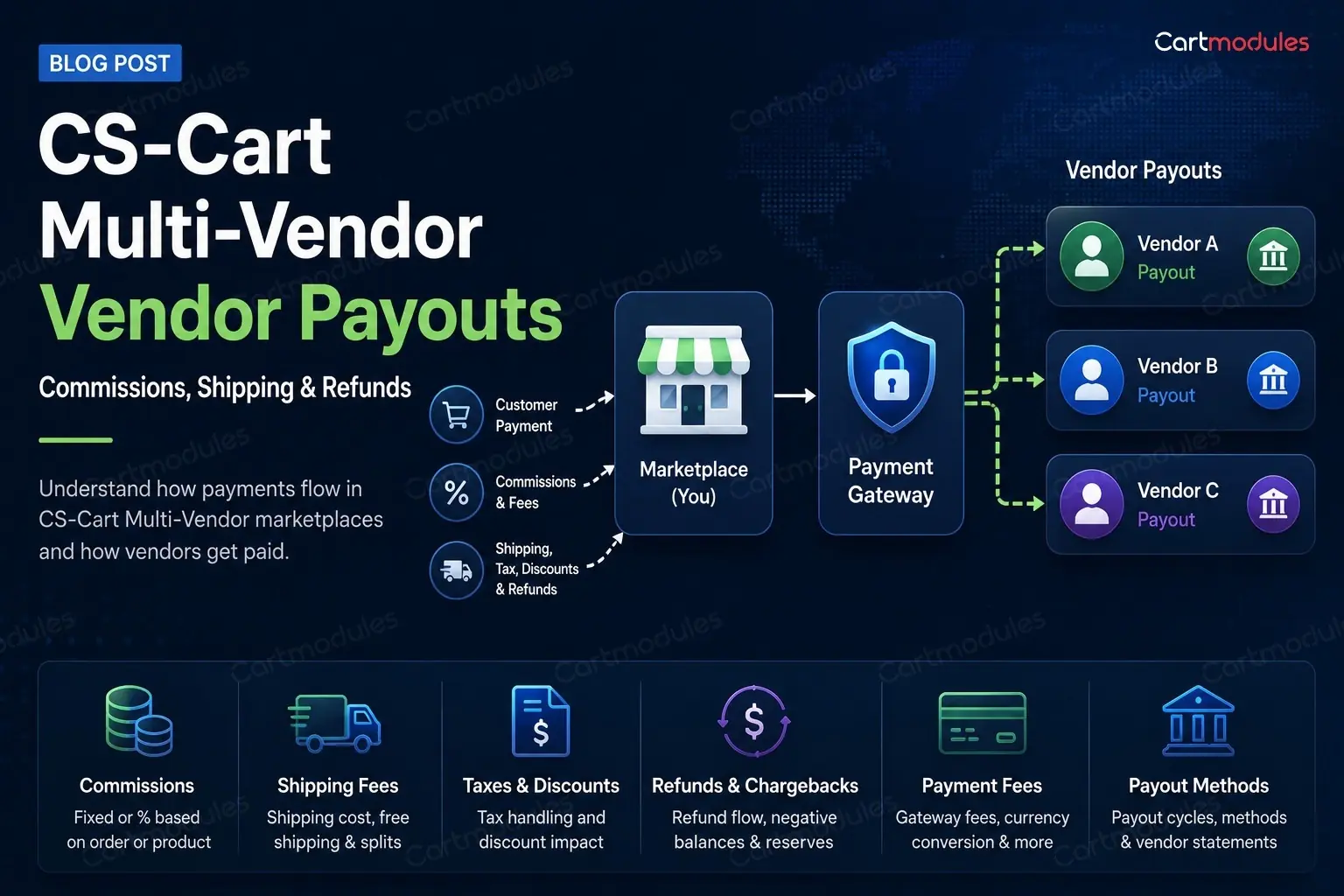
CS-Cart Multi-Vendor Vendor Payouts
Every marketplace operator hits this eventually. A vendor emails to say their payout is wrong. You open the admin accounting screen, open the vendor panel, and the two don't agree. Or they do agree, and the vendor still thinks it's wrong, because they expected shipping to be theirs and it went to you.
This comes up on the CS-Cart forum constantly, phrased a dozen different ways: does the payout include shipping, how do I change the payout formula, why don't admin and vendor accounting match, should commission come off before or after tax, what about discounts, why is this vendor's balance negative.
They're all the same question. Here's the whole picture in one place.
The two models
Before any of the detail, know which model you're running. Everything else follows from it.
Model 1: the marketplace collects everything. The customer pays you. All of it lands in your account. You then owe each vendor their share, and you pay it out on a schedule.
Model 2: the gateway splits at the point of payment. The customer pays once, and the payment processor divides it between you and the vendors automatically. Stripe Connect and PayPal's multiparty products work this way.
Many CS-Cart marketplaces run model 1, because model 2 depends on the split product being available in every country your vendors are in, not just yours. That's the constraint people miss.
Model 1 means you are holding other people's money between the sale and the payout. Depending on where you operate, there may be rules about doing that. Worth an hour with an accountant before you scale.
How the share is calculated
Strip away the interface and there are four steps.
- Work out the commission base: the amount commission is charged on
- Apply the commission rate to it
- Add anything else the vendor is owed, or charged
- That's the vendor's share of that order
Almost every dispute is an argument about step 1. Not the rate. The base.
A worked example
An order:
- One product, sold for $100.00
- Shipping charged to the customer: $10.00
- Tax at 20%: $20.00
- A 10% discount off the product: −$10.00
- Customer pays: $120.00
- Your commission rate: 15%
Now: what is 15% charged on?
| Commission base | Base | Commission | Vendor gets |
|---|---|---|---|
| Everything the customer paid | $120.00 | $18.00 | $102.00 |
| Product only, before discount | $100.00 | $15.00 | $95.00 (+ shipping?) |
| Product only, after discount | $90.00 | $13.50 | $96.50 (+ shipping?) |
| Product after discount, excluding tax and shipping | $90.00 | $13.50 | $76.50 + $10.00 shipping |
Same order, same rate, four different answers, and a spread of more than $25 on a single $120 sale.
This is why "what's your commission rate?" is a much less useful question than vendors think. Agree the base in writing when you onboard a vendor, with a worked example like the one above. It prevents most disputes before they happen.
Shipping: the argument that never ends
The most common vendor complaint on any marketplace.
The vendor's view: "I packed it, I paid the courier, the shipping money is mine."
The marketplace's view: "It was collected through my checkout, it's part of the order value."
Both are reasonable. Pick one, write it down, and make the system match.
Things that make it genuinely complicated:
Free shipping promotions. You run a "free delivery over $50" campaign. The customer pays nothing for shipping. The vendor still posts the parcel. Who pays for it? If you don't decide this before running the promotion, you'll decide it during an argument.
Multi-vendor orders. One customer buys from three vendors and pays one shipping charge. (Per-vendor carrier accounts need shipping add-ons that understand vendors.) That has to be divided by weight, by order value, by parcel count, or evenly. Whichever you pick, some vendor will be worse off than shipping separately.
Shipping charged versus shipping cost. You charge the customer $10. The courier charges the vendor $7.50. The difference is margin, and whose it is needs deciding.
Commission on shipping. If shipping is in the commission base, you're taking a cut of postage. Vendors hate this and say so loudly. That's fair enough if your rate allows for it, but be upfront rather than letting them discover it.
Tax and VAT in the commission base
The second most common argument, and it's usually about who is actually selling.
The principle: tax collected on a sale is not revenue. It's money held for a tax authority. Charging commission on it means charging a fee on money nobody gets to keep.
Most marketplaces exclude tax from the commission base for that reason. If yours doesn't, you're putting your rate up by your tax rate without saying so, and a vendor who works this out will not be pleased.
Where it gets harder:
Who is the seller of record? If the vendor sells to the customer and you're a platform, the vendor accounts for the tax and you charge tax on your commission as a service. If you're the seller of record, you account for the whole thing. These are very different arrangements and it affects invoicing, not just arithmetic.
Marketplace tax rules. A number of countries now make the marketplace liable for collecting and remitting tax on sales through it, regardless of who "sold" it. If you operate anywhere with rules like this, your payout model needs to reflect it.
Vendors in different tax jurisdictions. Cross-border marketplaces have vendors with different registrations, thresholds and rates. Whatever you build has to handle a vendor who isn't tax-registered next to one who is.
This is the section to take to an accountant who knows your markets. We can build whatever rule you need. We can't tell you which rule is legal where you operate.
Discounts and promotions: whose margin?
A customer uses a 10% code. Ten percent of what, taken from whom?
Three options:
- The marketplace funds it. The discount comes off your commission. Vendor gets their full share. Good for vendor relations, and it can wipe out your margin on a heavily discounted order, occasionally taking it negative
- The vendor funds it. Comes off their share. They should have agreed to the promotion first, or you'll have a row
- Split it. Proportionally, or by an agreed ratio
The rule that saves you: vendors opt in to promotions. A marketplace-wide sale that automatically discounts every vendor's products without asking is the fastest way to lose good sellers.
Watch the edge case: stacked discounts (a marketplace promotion plus a vendor's own) can push an order's commission to zero or below. Put a floor in.
Payment processing fees
The cost everyone forgets to account for.
Your gateway takes, say, 2.5% plus a fixed fee. Someone pays that. Options:
- The marketplace pays it out of commission. Simplest, and it means your real margin is lower than your rate suggests
- Passed to the vendor, deducted from their share. Common, and needs to be in the vendor agreement
- Split
The fixed fee hurts small orders far more than you'd expect. A $0.30 fixed fee on a $4.00 sale is 7.5% before anything else. If your marketplace sells a lot of low-value items, model this properly. It may be more than your commission.
Refunds and chargebacks after payout
This is where balances go negative and vendors get upset.
The sequence: order placed, vendor paid out, customer refunded three weeks later. You've now paid out on money you no longer have.
How CS-Cart handles it: the refund creates a negative adjustment against the vendor, which nets off their next payout. If they have no further sales, they carry a negative balance.
The problems:
A vendor with a negative balance and no sales. You're owed money by someone with no incoming revenue. Do you invoice them? Write it off? Hold a reserve against it?
A vendor who leaves owing money. Recovery is difficult and often not worth it.
Chargebacks arriving months later. Card chargebacks can land a long time after the sale. If you've paid out and closed the books, that's your loss unless your vendor agreement says otherwise.
Partial refunds. A refund on part of an order has to recalculate commission on the remainder. If commission was charged on the full amount and half is returned, the vendor is owed some commission back.
What to do about it:
- Hold a reserve. A percentage of each payout retained for a set period, released after your return window closes. Standard practice, and vendors accept it if you explain it upfront
- Delay first payouts for new vendors. Fraud and quality problems show up early
- Put negative balance recovery in the vendor agreement, in writing, at signup
Why admin and vendor accounting drift apart
Both screens claim to show the same money and don't. Usual causes:
They're showing different things. One shows order totals, the other shows what's payable. Both correct, both different.
Timing. One includes orders in a status the other excludes. An order marked complete on the 31st sits in different months depending on which date each screen uses.
Refunds applied to one side only. A refund processed in the gateway but not properly recorded against the order updates the customer's money and not the vendor's balance.
Orders in an in-between status. Payment Pending, Incomplete, Backordered. Different screens make different assumptions about whether those count.
Manual adjustments made in one place and not reflected in the other.
How to find it: don't compare totals. Export both, match order by order, and find the first order where they diverge. The pattern is always visible once you have the list. It'll be a status, a date boundary, or a refund.
Automatic payouts, and what to do when they aren't available
Stripe Connect is the most complete option. Handles split payments, holds balances, does the payouts, deals with vendor onboarding and identity checks. The catch is country coverage: for your vendors, not you.
PayPal multiparty products cover a different and also incomplete set of countries. Widely used, usually easier to sign vendors up to, less flexible.
When neither covers your vendors, which is common for marketplaces in Africa, South Asia, Central Asia and parts of the Middle East, you're doing manual or semi-automatic payouts. Realistically that means:
- The marketplace collects everything
- Vendor balances are tracked in CS-Cart
- Payouts run on a schedule, by bank transfer, mobile money, or a local provider
- Someone exports a payout file and uploads it to a banking portal
That's a normal way to run a marketplace. It just needs building deliberately rather than being discovered in month three. The things that make it survivable: a payout export in the format your bank actually accepts, a payout record against each vendor so they can see what they were paid and for which orders, and a clear statement per period.
We've built exactly this for marketplaces where the standard split products weren't an option: automatic vendor payouts through Stripe where it was available, and custom payout flows where it wasn't.
A checklist before you launch
- Commission base defined in writing, with a worked example in the vendor agreement
- Shipping: who gets it, and what happens on free-shipping promotions and multi-vendor orders
- Tax excluded or included, checked against your local marketplace tax rules
- Discounts: who funds them, and vendors opt in
- Payment fees: who pays, and modelled on your smallest typical order
- Refund and chargeback policy, including negative balances
- Reserve policy, if you're holding one
- Payout schedule and method, matched to your gateway's settlement timing
- A vendor-facing statement showing what they were paid and for which orders
That last one is worth more than it looks. Most vendor payout disputes aren't really disputes about money. They're disputes about not being able to see the working.
If your marketplace needs a payout model your gateway doesn't support, or your admin and vendor accounting have drifted and you need to find out why, that's the kind of work we do. Tell us about your marketplace.
Common questions
It's your call, but decide it before you sign vendors and write it down with a worked example. If shipping is in the commission base you're taking a cut of postage, which vendors object to loudly. It's fair enough if your rate allows for it. Just don't let them discover it from a statement.
Most marketplaces exclude it, because tax collected on a sale isn't revenue. It's money held for a tax authority. Charging commission on it effectively raises your rate by your tax rate. Check your local marketplace tax rules too, since several countries now make the marketplace liable for collecting and remitting.
Prevent it rather than chase it. Hold a reserve (a percentage of each payout retained until your return window closes) and delay first payouts for new vendors, because fraud and quality problems show up early. Put negative balance recovery in the vendor agreement at signup, in writing.
No. Stripe Connect is the most complete option where it's available, but availability depends on your vendors' countries, not yours. Plenty of marketplaces collect everything centrally and pay out on a schedule by bank transfer or a local provider. That's a normal design. It just needs building deliberately.
Usually they're showing different things: one shows order totals and the other shows what's payable. Or it's a date boundary, an order status one includes and the other excludes, or a refund recorded on the customer side but not against the vendor balance. Export both and find the first order where they diverge; the pattern is always visible from there.
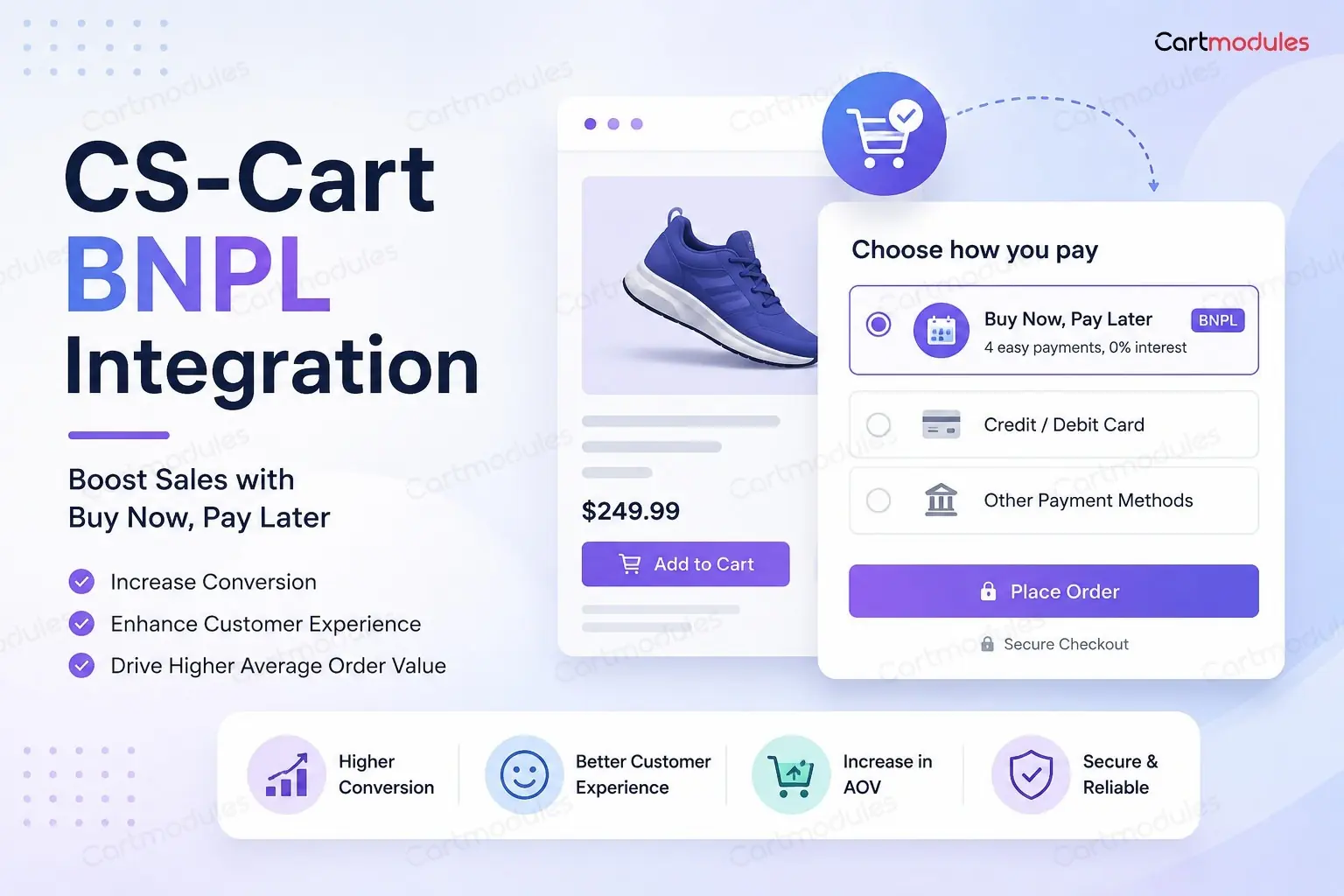
CS-Cart BNPL Integration: What Changes for Your Store?
In the Gulf, Australia and much of Europe, shoppers now look for a pay-later option at checkout, and they notice when it is not there. Adding one to CS-Cart is the easy part.
The basic configuration can be quick: enter your merchant credentials, set the currency, enable the payment method and run a test order.
What takes longer is everything after the switch: what a refund means when a customer is halfway through four instalments, when the money actually lands in your account, and what your marketplace does when the provider pays out differently than you assumed. Those are the things that decide whether buy now, pay later earns its place at your checkout or just creates work.
Here is what to get right before you turn it on.
Basket minimums and maximums
Every BNPL provider sets a range they'll fund. Below the minimum and above the maximum, they won't approve the order.
This is the first thing that surprises store owners, because the failure is invisible in testing. You test with a $100 basket, it works, you go live. Then customers with $15 baskets or $3,000 baskets hit a wall.
What to do:
Find out the real limits for your account and market. They vary by provider, by country, and sometimes by merchant based on your history. Don't assume the published figure applies to you.
Hide the method when the basket falls outside the range, rather than letting a customer select it and get refused. A refused BNPL application at checkout feels like a rejection, and a decent share of those customers leave rather than paying another way.
Think about what the maximum does to your high-value customers. If your average order is comfortably inside the range but your best orders are above it, your most valuable customers are the ones being told no.
Where the widget goes
BNPL providers give you a messaging widget: "or 4 payments of $24.99". Where you put it matters more than most people expect.
The product page is the important one. BNPL changes the buying decision by reframing the price. A $100 jacket becomes four payments of $25. That reframing only helps if the customer sees it while they're deciding, not after they've already talked themselves out of it.
The cart is second. Useful reassurance as the basket total grows.
Checkout is the bare minimum. It has to be there, and by then it's mostly confirming what they already knew.
If you only put the widget at checkout, you've paid for BNPL and skipped most of what it does for you.
One caution: these widgets are third-party JavaScript on your product page. Load them asynchronously and check what they do to page speed. A conversion tool that adds 800ms to every product page is not obviously a win.
Refunds, which is where it gets awkward
This is the section worth reading twice.
With a card payment, a refund is simple. Money went one way, you send it back.
With BNPL, the customer has an instalment plan with the provider. You've usually been paid in full already. So a refund is really you telling the provider to undo a payment schedule that's partly done.
Full refunds are usually simple. The provider cancels the remaining instalments and returns what the customer has paid so far. The customer may still see one more payment taken before it settles, which generates a support ticket even though nothing is wrong.
Partial refunds are where it gets messy. If a customer returns one item from a three-item order, the provider has to recalculate the remaining schedule. Handling varies: some reduce future instalments, some shorten the plan, some refund the difference directly. Your store shows one number and the customer's app may show another, and they will email you about it.
Things to check before you go live:
- Does the add-on support partial refunds through the API, or only full ones? If it's full-only, every partial refund becomes a manual job in the provider's dashboard, which is fine at ten orders a month and painful at a thousand
- What happens if you refund more than the customer has paid so far?
- How long does a refund take to show for the customer?
- Can you refund after the plan has completed?
Write down the answers and give them to whoever handles your support inbox. Most BNPL support tickets are "I returned this, why am I still being charged", and that's answerable in one reply if your team knows how it works.
When you actually get paid
Two things people conflate: order status and settlement.
When a BNPL order is approved, your store marks it paid and you ship it. That's order status.
Settlement is when money reaches your bank. Depending on the provider and your agreement, that might be a couple of days, or it might be weekly or fortnightly batches. The customer's instalments continue on whatever plan the provider offered, while you are normally paid in full up front, minus fees, on the provider's own settlement schedule.
Why it matters:
Cash flow. If BNPL becomes a large share of your revenue and settles fortnightly, your working capital position changed and nobody told your finance team.
Reconciliation. Settlements arrive as batches, not per order. One deposit covers many orders, minus fees, minus refunds processed in that period. Matching that to individual orders is real work, and it's much easier if you plan for it than if you discover it at year end.
Fees are higher than card fees. BNPL is often materially more expensive than standard card processing, because the provider is taking the credit risk. Model the economics per category before you enable it. That's the trade: you get paid in full and they chase the customer. Worth checking whether the extra conversion covers the extra cost, per category. On low-margin products it may not.
What your accounting sees
Give your bookkeeper a heads-up before the first settlement lands, not after.
- Revenue is the order value, not the settlement amount
- Fees are an expense, deducted before the money arrives
- Refunds are netted off the next settlement, so a settlement can be smaller than expected or, occasionally, negative
- Chargebacks and disputes work differently. In many BNPL arrangements the provider carries fraud risk on approved orders, which is genuinely valuable, but check exactly what's covered rather than assuming
Multi-Vendor: the question to ask first
If you run a marketplace, this is the section that decides whether BNPL works for you at all.
Does the provider split funds between vendors, or does the marketplace collect and pay out?
Many BNPL providers settle to a single merchant account rather than splitting funds directly between marketplace vendors. They fund the order and settle to the account named on the merchant agreement, and typically have no view of your individual vendors or their commission rates. Confirm this with the provider before you design payouts around it.
Which means:
The marketplace collects the BNPL settlement and pays vendors out of it. That works, and it has consequences:
- You're holding vendor money between settlement and payout, which may come with rules depending on where you operate
- Your payout timing is now tied to the provider's settlement schedule. If they settle fortnightly, you can't pay vendors weekly without funding it yourself
- A refund on a multi-vendor order has to take the money back from the right vendor, which needs to work automatically or someone is doing spreadsheet reconciliation forever
Practical questions before you commit:
- Does your BNPL provider operate in every country your vendors are in? Their country, not just yours
- Does your merchant agreement allow marketplace use at all? Some don't, and finding out afterwards is unpleasant
- Can your commission calculation handle the BNPL fee? Does it come off the top, or out of the marketplace's margin?
- What happens to a vendor payout when a customer defaults? Usually nothing, since the provider carries it, but confirm
We've built payment flows for CS-Cart Multi-Vendor marketplaces where exactly this needed working out, and the answer is different every time depending on the provider and the countries involved. It's worth an hour with someone who has done it before you build.
Testing properly before you go live
Use sandbox, and test the awkward paths, not just the happy one.
- An order below the minimum and above the maximum
- An application that gets declined. What does the customer see? Can they pay another way without rebuilding their basket?
- A full refund
- A partial refund
- A customer abandoning midway through the provider's flow
- An order that succeeds at the provider but where the customer closes the tab before returning to your store
That last one matters more than people think, and it's the same problem as any other gateway: if the callback isn't set up properly, you get an approved BNPL order sitting at Incomplete in your store while the customer waits for a dispatch email. Test it by completing a sandbox payment and closing the tab immediately.
Picking between them
Don't shop by brand recognition. These are regional products and the wrong one is worse than none.
| Provider | Primary markets |
|---|---|
| Tabby | Gulf: UAE, Saudi Arabia, and neighbours |
| Tamara | Gulf, Saudi Arabia especially |
| Afterpay | US, Australia, New Zealand, UK (as Clearpay) |
| Sezzle | US, Canada |
| Klarna | Europe, UK, US |
| Alma | France and nearby |
| Affirm | US |
Availability, merchant eligibility, supported currencies and cross-border rules vary by provider and market, and change often. Confirm current availability directly with the provider before you commit.
A shopper in Riyadh doesn't know what Afterpay is. A shopper in Melbourne doesn't know what Tamara is. Offer the one people in your market already have an account with. That's most of where the conversion comes from, because it's one tap rather than a new application.
Offering two in the same market occasionally makes sense if their approval criteria differ, so a customer declined by one might be approved by the other. It also clutters checkout. Try one properly first.
What this means on a CS-Cart store specifically
Most of the above is true of any platform. These are the parts that are CS-Cart's own, and they are where the work usually lands.
Payment method configuration. BNPL arrives as a payment method with its own processor settings. If you run multiple storefronts or currencies, each needs the method configured and tested separately, because a provider approved for one market will decline in another.
Order status mapping. Decide which CS-Cart status an approved BNPL order lands on, and which one a declined application produces. Getting this wrong is what leaves approved orders sitting at Incomplete. We wrote about that failure mode in orders stuck as incomplete.
Callbacks. BNPL providers confirm asynchronously, so the callback matters more than the return URL. If a customer closes the tab after approval, only the callback saves the order.
Refunds through the admin. Check whether the add-on issues the refund to the provider through their API, or only changes the order status in CS-Cart. The second is not a refund, and the customer keeps paying instalments.
Multi-Vendor payouts and commission. Vendor balances are calculated from the order, not from what the provider actually settled. If the provider pays weekly and you pay vendors on approval, you are funding the gap. Commission also needs a decision on whether the BNPL fee comes off the marketplace's share, the vendor's, or both.
Add-on limits. Not every CS-Cart BNPL add-on supports partial refunds, widget placement, or per-storefront configuration. That varies by add-on, not by provider. If the one you need does not exist yet, it is a custom add-on, and worth scoping before you promise the provider a launch date.
Is BNPL right for your store?
It is not automatically worth the fees. It tends to earn its place when:
- Average order value is high enough that splitting the payment changes the decision
- Your margin can absorb a payment cost well above card processing
- The provider is one your customers already recognise and have an account with
- Your products suit instalments: considered purchases rather than low-value repeat buys
It tends not to, when:
- Margins are thin, so the fee eats most of the extra conversion
- Average order value is low and the instalment framing adds nothing
- The provider has little presence in your market
- Refund and return rates are high, so you are constantly unwinding instalment plans
- You run a marketplace with payout rules the provider cannot accommodate
Before you switch it on: a checklist
- Basket minimum and maximum known, and the method hidden outside that range
- Widget on the product page, loading asynchronously
- Partial refund behaviour tested and documented for your support team
- Settlement schedule known and shared with whoever watches cash flow
- Fees modelled per category: check it still makes sense on low-margin lines
- Multi-vendor: split model decided, vendor countries confirmed
- Callback tested by closing the tab
- Declined and abandoned paths tested in sandbox
The short version
BNPL is not another payment button. On a CS-Cart store it touches refunds, settlement timing, accounting, checkout design and, on Multi-Vendor, vendor payouts and commission. The right provider depends on your market, your order values and your marketplace structure, not on which brand you have heard of.
We build and maintain BNPL add-ons for CS-Cart including Tabby, Tamara, Afterpay, Sezzle, Affirm and Alma. If you're weighing up which one fits your market, or you need one that doesn't have a CS-Cart integration yet, tell us what you're selling and where.
Common questions
It can improve conversion on higher-value baskets, because it reframes the price at the moment someone is deciding. But the fees are typically well above card processing, so run the numbers per category. On low-margin lines the extra conversion may not cover the extra cost.
In most BNPL arrangements the provider carries it. They've paid you in full and they chase the customer. That's what you're paying the higher fee for. Confirm exactly what's covered rather than assuming, particularly around fraud and chargebacks.
The provider has to recalculate a payment schedule that's partly complete, and they don't all handle it the same way: some reduce future instalments, some shorten the plan, some refund the difference directly. Check whether your add-on supports partial refunds through the API at all, or whether every one becomes a manual job.
You can, and it occasionally helps if their approval criteria differ, so a customer declined by one might be approved by the other. It also clutters checkout. Try one properly first and measure it.
It works, but many BNPL providers settle to a single merchant rather than splitting funds directly between marketplace vendors. That means the marketplace collects the settlement and pays vendors out of it, which ties your payout timing to the provider's schedule. Check your merchant agreement allows marketplace use. Some don't.
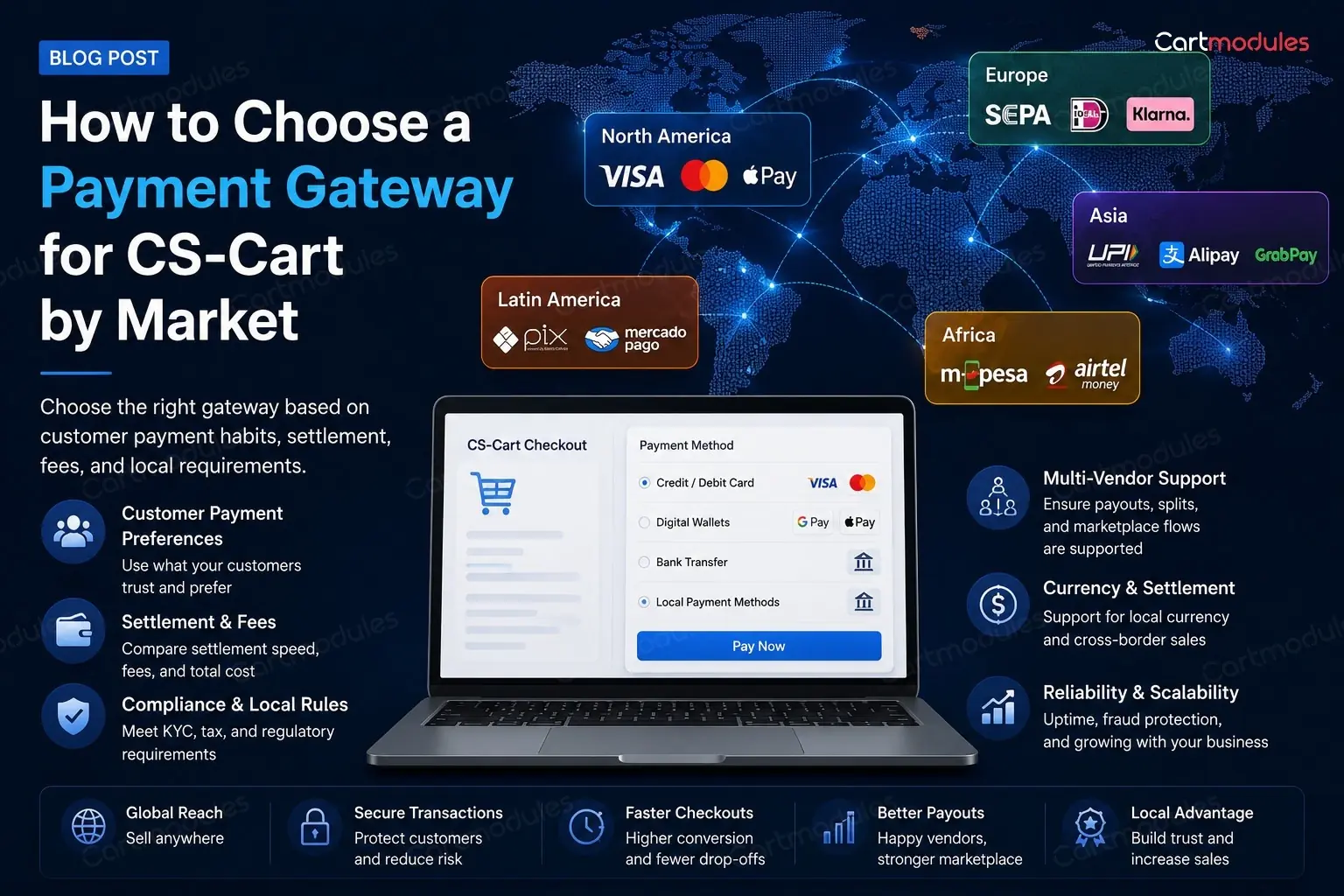
How to Choose a Payment Gateway for CS-Cart by Market
You're opening in a new market. You've got Stripe or PayPal working, and someone has told you that isn't enough. They're probably right. But the advice usually stops there.
This is a guide to what buyers in different markets expect to see at checkout, and how to think about the choice. We build payment gateway add-ons for CS-Cart across most of these markets, so we'll name our own where they fit. We'll also name plenty we don't sell, because pretending otherwise would make this useless to you.
Last reviewed August 2026. Gateway availability, merchant eligibility, fees and supported payment methods change often. Confirm current details with the provider before you build.
Start with the right question
Most people ask "which gateway is best?" That has no answer. The useful questions are:
What do buyers in this market actually use? Not what's available, but what people reach for. In the Netherlands that's iDEAL, and a checkout without it can lose sales to a competitor that offers it, no matter how good your card processing is.
Can it settle into an account you can actually hold? Plenty of gateways require a locally registered company and a local bank account. This kills more market launches than any technical issue, and it's worth checking on day one rather than day ninety.
What does it cost, all in? The headline percentage is the start. Then: fixed fee per transaction, currency conversion margin, chargeback fees, monthly minimums, settlement delay. A 2.4% gateway that settles in 14 days can be worse for cash flow than a 2.9% one that settles in 2.
Does it do what your store needs? Refunds and partial refunds through the API, not just their dashboard. Recurring billing if you sell subscriptions. And if you run a marketplace, split payments, which is where most gateways quietly fall over.
What CS-Cart gives you out of the box
CS-Cart ships with support for the big international processors and a set of common methods. For a store selling to the US, UK, Western Europe and Australia in one currency, that's often genuinely enough. If it covers you, stop reading and go do something more useful.
Where it runs out:
- Local methods that dominate a specific country
- Buy now, pay later
- Mobile money and wallet payments across Africa and parts of Asia
- Cash on delivery done properly, with the rules around it
- Split payments for marketplaces
- Regional processors that are the only realistic option in their market
The Gulf and Middle East
What buyers expect: cards, buy now pay later, and cash on delivery. BNPL adoption in the Gulf is high and still growing. A checkout without it looks dated to a Saudi or UAE shopper.
Cash on delivery still matters in some categories. If you sell to Saudi Arabia or the UAE and don't offer it, you're excluding a real share of buyers. It brings its own problems: refused deliveries, cash handling, reconciliation. So set a maximum order value and restrict it by region.
BNPL: Tabby and Tamara are the two that matter. We build and maintain add-ons for both. They're regional. Offering Afterpay to a Riyadh shopper isn't a substitute, because they've never heard of it.
Cards: local acquirers usually beat international ones on approval rates. Worth asking any provider what their approval rate looks like for your card mix, because a cheaper gateway that declines more cards is more expensive.
Also worth knowing: local schemes like mada in Saudi Arabia are widely held and often cheaper than international cards, so check whether your acquirer supports them.
India
The short version: one gateway rarely covers India properly.
UPI is the default. It's the way a large share of Indian buyers expect to pay online. If your checkout doesn't offer it, you're an inconvenient store.
Then netbanking, which matters far more than in most markets: dozens of banks, and customers expect to see their own.
Then cards, then wallets, then cash on delivery.
Practically: most stores use an aggregator that covers UPI, netbanking, cards and wallets behind one integration, rather than wiring each method separately. We build a Cashfree add-on for CS-Cart; Razorpay and PayU are the other names you'll hear, and either can be the right answer.
One thing to plan for: recurring payments in India are more restricted than elsewhere, with mandate rules that don't work the way subscription billing does in Europe or the US. If you sell subscriptions, check this before you build.
Bangladesh and South Asia
Mobile financial services lead. In Bangladesh, bKash is what people use. Treating it as a secondary option next to cards has the priority backwards.
We build add-ons for bKash and aamarpay for CS-Cart.
Cash on delivery remains large across the region. Build for it properly: order value caps, address confirmation, and a refused-delivery process.
Africa
Payment behaviour varies enormously by country. Don't treat Africa as one market.
Mobile money is the main story. M-Pesa in Kenya and Tanzania, MTN Mobile Money across several countries, and others region by region. For a large share of buyers this isn't an alternative to a bank account, it is the account.
Nigeria runs on bank transfer and cards, with USSD still widely used. Paystack and Flutterwave are the names to look at; neither has a CS-Cart add-on in our catalogue yet, so that's a build.
Settlement and currency are the real catch. Confirm you can get money out in the currency you want before committing to a market. If the gateway you need has no CS-Cart integration, talk to us about building one. It's most of what we do.
Europe
Cards work everywhere in Europe. They're also frequently not what people prefer.
| Country | What buyers expect |
|---|---|
| Netherlands | iDEAL. A payment method buyers expect |
| Germany | Bank transfer, direct debit, and buy-now-pay-later. Card penetration is lower than people assume |
| Poland | Przelewy24, BLIK |
| Spain | Bizum |
| France | Cards, plus instalments. Alma is well established. We build an Almapay add-on |
| Hungary | Barion. We build an add-on for it |
| Nordics | Klarna, Swish, MobilePay by country |
SCA and 3-D Secure apply. Strong Customer Authentication isn't optional in the EU and UK, so whatever you pick has to handle it properly, and handle it well, because a clumsy 3-D Secure step is a real source of abandoned checkouts.
Also worth knowing: we build Buckaroo (Netherlands) and Takbull (Israel) add-ons, among others.
US, UK and Australia
The most straightforward markets, and the most competitive.
Cards, through whichever processor you like. Stripe, Braintree, Authorize.Net and Adyen are all fine. Pick on pricing, on your accounting integration, and on whether you'll need marketplace splits later.
Then instalments. Afterpay and Sezzle in the US and Australia, Klarna in the UK. We build Afterpay, Sezzle and Affirm add-ons for CS-Cart.
Wallets are becoming the default on mobile. Apple Pay and Google Pay convert noticeably better on phones because they skip the form. If most of your traffic is mobile, this matters more than which card processor you chose.
Southeast Asia
Malaysia: FPX online banking dominates. We build a Billplz add-on.
Indonesia, Vietnam, Thailand: bank transfer, local wallets, and cash on delivery in some categories. Wallet brands vary by country and change quickly, so check current share rather than trusting a two-year-old article, including this one.
Central Asia
Local processors are usually the only real option, and international gateways often can't settle locally at all. We build an Atmos add-on for Uzbekistan as an example of what that looks like in practice.
If you run a marketplace
This is where gateway choice stops being a preference and becomes an architecture decision.
Ask one question first: can this gateway split a payment between several vendors?
Two models:
The marketplace collects everything, then pays vendors out. Works with any gateway. It also means you're holding other people's money, which comes with rules in a lot of countries, and you carry the reconciliation burden.
The gateway splits at the point of payment. Stripe Connect and PayPal's multiparty products do this. Much cleaner, but availability varies by country, and the country that matters is your vendors', not yours.
The trap: picking a gateway for its card rates, building the marketplace, then discovering it can't split, and your vendors are in a country its split product doesn't cover. Rebuilding payouts after launch is one of the more expensive things you can do to yourself. Ask this on day one.
Running more than one gateway
Most stores in more than one market end up with several. A few things that make it work:
Show methods by country. A UK customer doesn't need to scroll past iDEAL and bKash. CS-Cart can restrict payment methods, and a shorter, relevant list converts better than a complete one.
Match payment to shipping. Some combinations can't be honoured: cash on delivery with a courier that doesn't collect cash, for instance. Take the option away rather than explaining it at checkout. Every impossible order costs a refund, a support conversation and some goodwill.
Watch approval rates per gateway, not just fees. Two providers charging near-identical rates can differ by several percent on approvals. That difference is worth more than the fee difference.
Keep a fallback. If your main gateway goes down, having a second you can switch on turns an outage into an inconvenience.
How to actually decide
- Find out what people in that market pay with. Ask a local seller, look at what the big local retailers offer at checkout, and look at published payment-mix data
- Shortlist two or three that cover the top methods
- Check you can hold an account and get settled: company registration, bank account, currency
- Compare the full cost, including settlement time
- Check the features you need: API refunds, recurring, and splits if you're a marketplace
- Check the CS-Cart integration exists and supports your version. If it doesn't, that's a build, and worth pricing before you commit
A closing caution
Payment method popularity moves. What's true in a market this year may not be in three years. BNPL in the Gulf and UPI in India both went from marginal to dominant in a handful of years.
Revisit this every year or so for your main markets. And if a gateway you need doesn't have a CS-Cart integration, that's a normal piece of work rather than a dead end. It's most of what we do. We maintain payment gateway add-ons for CS-Cart across the Gulf, India, South Asia, Africa, Europe, and the US and Australia.
Browse the payment gateway add-ons or tell us which market you're opening in.
Common questions
Enough to cover what people in that market actually use, and no more. A shorter, relevant list converts better than a complete one. A UK customer scrolling past six methods they've never heard of is friction. Show methods by country rather than showing everything to everyone.
Often yes, and it kills more market launches than any technical problem. Plenty of gateways require a locally registered company and a local bank account before they'll settle to you. Check this on day one, not after you've built the integration.
Usually the approval rate. Two providers charging near-identical rates can differ by several percent on how many cards they approve, and that gap is worth more than the fee difference. Ask any provider what their approval rate looks like for your card mix.
That's a build rather than a dead end, and it's routine work. A payment gateway add-on is usually a couple of weeks including sandbox testing. It's most of what we do.
In some markets you're excluding a real share of buyers without it, particularly in the Gulf and South Asia. If you do offer it, cap the order value and restrict it by region, and have a process for refused deliveries. Otherwise the losses show up quietly.
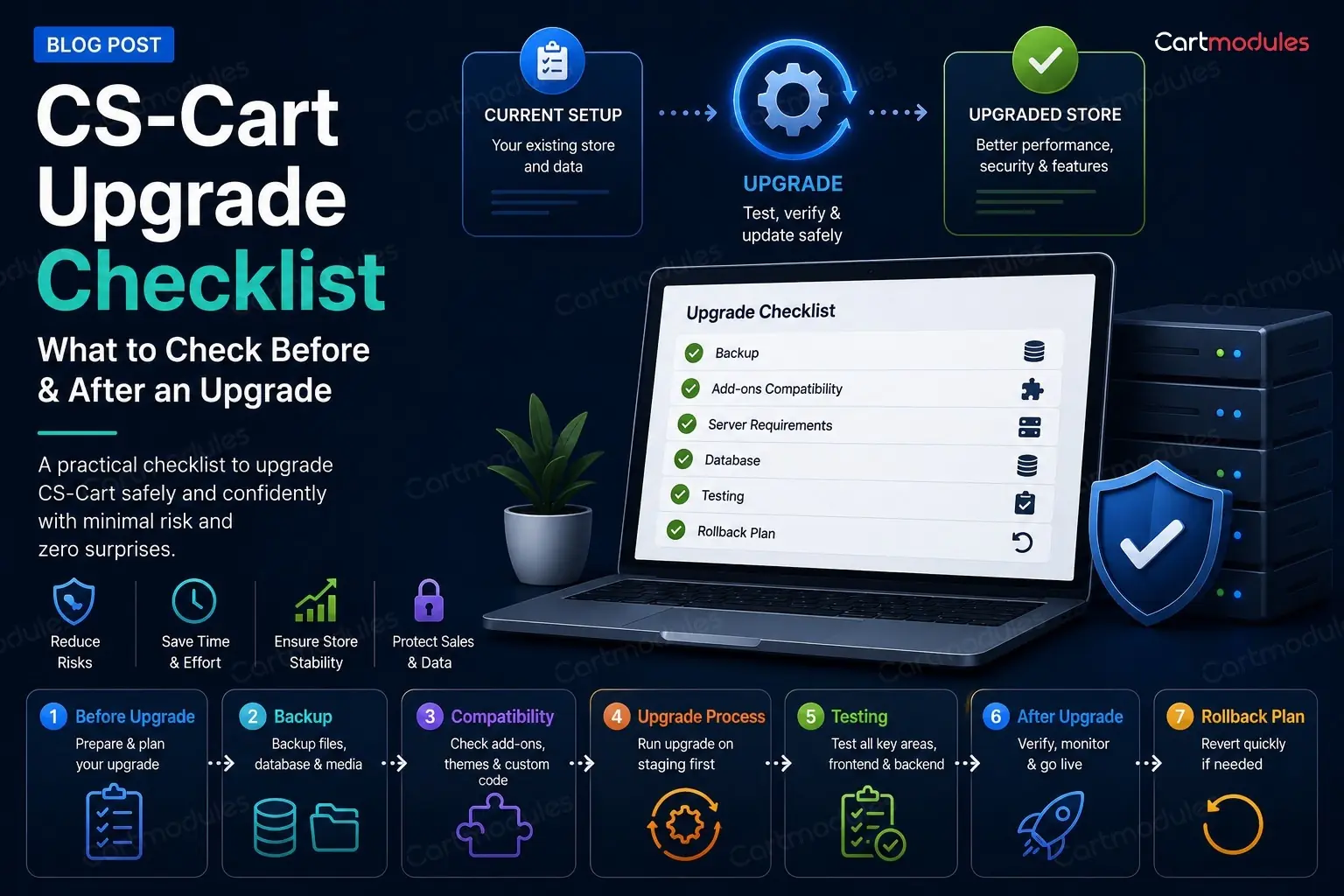
CS-Cart Upgrade Checklist
If you're on 4.17 or 4.18, you know you're behind. You've probably also had one upgrade fail already, which is why you haven't tried again.
This is the checklist we work through when we upgrade a client's store. It covers the things the official documentation skips, mostly because they're host problems and add-on problems rather than CS-Cart problems. Those are the ones that actually stop you.
Being two or three versions behind is normal and catchable. Version examples here reflect the release landscape at the time of writing.
Why bother
Fair question, if the store is trading fine.
PHP support. This is the one that forces the issue. Your host will eventually stop offering the PHP version your old CS-Cart needs. When that day comes you'll be doing the upgrade in a hurry, which is the worst way to do it.
Security fixes. Not always announced loudly. They're in there.
Add-ons stop being supported. Vendors build against current versions. The further behind you are, the smaller the pool of add-ons you can buy, and the more likely a fix for your problem is "upgrade first."
Every upgrade you skip makes the next one harder. Going 4.18 to the current release is a manageable job. Going 4.9 to the current release is a rebuild wearing an upgrade costume.
Before you touch anything
Make a real staging copy
Not a backup. A working copy of the store on a separate URL, with its own database and its own files.
"I'll take a backup first" is not a plan. A backup tells you how to get back to broken-but-trading. It doesn't tell you what's going to break, and restoring it under pressure at 11pm with orders coming in is not an experience worth having.
Your staging copy needs:
- The full database, not a trimmed one. Problems show up at scale
- The full file tree, including
var/,images/anddesign/ - The same PHP version as live
- Search engines blocked.
robots.txtwithDisallow: /, and ideally HTTP auth on top. A staging copy that gets indexed will compete with your live store - Payment gateways in test mode. All of them. Check twice
Then upgrade staging first, all the way through, and write down every problem. That list is your runbook for the live upgrade.
Inventory your add-ons and theme
Make an actual list. Every add-on, its version, where it came from, and whether it's still supported.
For each one, answer: does a version exist that supports the CS-Cart version I'm going to?
- Built-in add-ons come with the upgrade. Fine
- Paid third-party add-ons. Check the vendor's listing for the supported version range. (Ours list their supported range on every product page.) If it says 4.18 and you're going to the current release, ask before you upgrade, not after
- Custom add-ons built for you. These need testing, and possibly work. They're written against hooks that can change
- Add-ons from a vendor who has disappeared. Decide now whether you're replacing them or living without them
Your theme is the same question and usually the bigger risk. A heavily customised theme, or a third-party theme that hasn't been updated, is the most common reason an upgrade lands and the site looks wrong. the current release in particular rebuilt parts of the admin, so admin-side theme overrides deserve attention.
Write down which core files have been modified. If a previous developer edited core files directly rather than using add-ons and hooks, the upgrade will either refuse to proceed or overwrite their work. You want to know which, in advance.
Check the boring host stuff
This is where upgrades actually fail, and none of it is in the CS-Cart docs.
Disk space. The upgrade downloads a package, unpacks it, and keeps a copy of what it replaced. Have several gigabytes free, not several hundred megabytes.
Inodes. Run df -i, not just df -h. CS-Cart's cache generates a huge number of tiny files, and shared hosts cap inode counts. You can have plenty of space and still be unable to write a single file. This produces confusing errors that look like permissions problems.
File permissions and ownership. The web server user needs to write to the whole tree during an upgrade. Mixed ownership (some files owned by the web user, some by an FTP user) breaks upgrades halfway, which is the worst place to break.
While you're there: check nothing is world-writable (0666 files, 0777 directories). If you find some, look at config.local.php. If DEFAULT_FILE_PERMISSIONS is set to 0666, CS-Cart will keep creating world-writable files no matter how many times you fix them. Fix the constant, not the files.
PHP version, memory limit and max execution time. Check the target CS-Cart version's requirements. Raise memory_limit and max_execution_time for the upgrade. An upgrade that hits the execution limit halfway through leaves a store in a genuinely awkward state.
Your firewall. More on this below, because it's the one that caught us out badly.
The upgrade itself
Upgrade one version at a time, in order. Don't try to jump. Each step is a separate upgrade with its own migrations, and going in order is how the migrations were designed to run.
A realistic chain from 4.18.1 to the current release looks like: 4.18.2 ? 4.18.2.SP1 ? 4.18.3 ? 4.18.4 ? 4.19.1 ? 4.19.1.SP1 ? 4.19.1.SP2 ? the current release. That's eight steps, and each one wants checking before the next.
Put the store in maintenance mode. Take a database dump immediately before each step, not just at the start.
The errors you're most likely to see
"Validator 'Restore' returned fail status" / "Unable to prepare restore script."
This message is misleading, and it cost us a lot of time to get to the bottom of.
The Restore validator itself only checks that a restore script exists. The real failure is usually further along: CS-Cart writes the restore script, then fetches it back over HTTPS from your own site and expects a specific response. If anything interferes with that request, the upgrade aborts with this error.
On one cPanel host, the cause was mod_security rejecting any request with an empty or unusual user agent. CS-Cart's HTTP client sends no user agent by default, so its own request to its own site was being blocked with a 406. Permissions, disk space, ownership: every check we could think of looked perfect, because none of them were the problem.
Before theorising about permissions, read var/upgrade/core_log.txt. It logs each step with real paths and real reasons. The answer is almost always in there and it's much faster than guessing.
If you hit this, the clean fix is disabling ModSecurity for your domain in your host's control panel. If your host won't, you'll need someone who can work around it. Note that dropping an .htaccess with SecRuleEngine Off does not work on most cPanel hosts, which forbid that directive and return a 500.
The progress bar stalls on "Copy Files: app".
Usually disk space, inodes, or a permissions problem partway through the tree. Check df -h, df -i, and ownership consistency. Sometimes it's the execution time limit.
A missing phinxlog table, or migrations that don't run.
Migrations track what's already been applied. If that tracking is missing or out of step, often because of a restore from a partial backup, migrations either re-run or skip. Restore your pre-upgrade dump and start that step again rather than trying to patch it live.
Blank page after a successful upgrade.
Suspect a broken core file before you suspect the cache. We had a case where an upgrade completed and reported success, but left App.php with a PHP parse error: a block comment had swallowed a closing brace, so the class never closed. The Upgrade Center rendered as a blank white page.
Check your PHP error log first. If you can't find it, remember that on PHP-FPM the php.ini in your document root is ignored. You need .user.ini or the real ini path.
The fix in that case was to run the next upgrade, which replaced the file.
Add-on templates missing after the upgrade.
Usually a theme migration issue: the add-on's templates live in the old theme's directory and didn't move. This is why theme migrations and version upgrades should be separate jobs, not one.
The collisions warning
At some point the upgrade will tell you that modified core files conflict with the update, and offer to proceed anyway.
Read the list before you click. Every file on it is a change someone made deliberately, and proceeding overwrites it. If you don't know what those changes were, find out now. That's a customisation that will silently vanish and reappear as a bug report next week.
If you override the collision check (sometimes you have to), write down every file it overwrote, and test those areas specifically afterwards.
Testing afterwards, in order
Test in the order that money flows, not the order the menu is in.
- Checkout, end to end, with a real payment method in test mode. Every gateway you accept. This is the only test that genuinely matters
- Add to cart, quantities, options, variants
- Customer registration and login, including social and OTP logins if you use them
- Order emails. Confirmation, shipping, password reset. Check they send and check they look right
- The admin order screen. Create, edit, change status, refund
- Search and category filters
- Every custom add-on, one at a time
- Vendor panel, if you're on Multi-Vendor
- Shipping rate calculation, especially live carrier lookups
- Mobile. Both storefront and admin
- Anything on a cron. The upgrade may have changed paths
Then clear every cache: var/cache, Redis if you use it, and your opcode cache.
Rolling back
Decide the rollback plan before you start, and make sure it's real.
You need the database dump from immediately before the step that failed, and a file-level copy of the tree. Both. A database restore against upgraded files gives you a broken store in a new and interesting way.
Know how long a restore takes on your data. If it's an hour, that's an hour of downtime you need to have planned for.
And be honest about when to stop. If you've been at it for hours and each fix reveals another problem, restoring and getting help on a weekday is a better outcome than pushing on.
When a rebuild is cheaper than an upgrade
Sometimes it is, and a good developer will tell you.
Signs:
- Core files were edited directly, extensively, and nobody documented it
- Your theme is heavily customised and its vendor is gone
- Several paid add-ons are unsupported and would each need replacing
- You're more than four or five versions behind
- The store was migrated from another platform and never fully cleaned up
At that point you're not upgrading a store, you're archaeology. A clean build on the current version, with data migrated across, can cost less and leaves you somewhere you can maintain.
The short checklist
Before - [ ] Working staging copy, search engines blocked, payments in test mode - [ ] Add-on and theme inventory with version compatibility confirmed - [ ] List of modified core files - [ ] Disk space and inodes checked - [ ] File ownership consistent, permissions sane - [ ] PHP version, memory limit, execution time raised - [ ] Firewall / ModSecurity checked for loopback requests - [ ] Rollback plan tested, not assumed
During
- [ ] Maintenance mode on
- [ ] Database dump before each step
- [ ] One version at a time, in order
- [ ] var/upgrade/core_log.txt open when anything fails
- [ ] Collision list read before overriding
After - [ ] Checkout tested with every payment method - [ ] Order emails sending and correct - [ ] Custom add-ons tested individually - [ ] Crons still running - [ ] All caches cleared - [ ] Mobile checked
If you read that and thought "I'd rather someone else did this", that's a completely reasonable conclusion, and it's a service we offer. We upgrade CS-Cart stores, including the awkward ones with custom add-ons and modified core files, and we'll tell you honestly if yours is a rebuild rather than an upgrade.
Talk to us about your upgrade.
Common questions
Some will, some need a newer version, and some are dead because the vendor has disappeared. Make the list before you start rather than finding out halfway. Built-in add-ons come with the upgrade; paid third-party ones need their supported version range checked; custom ones need testing because they're written against hooks that can change.
No. Each release has its own migrations, and they're designed to run in order. Going from 4.18.1 to the current release is roughly eight separate steps. Trying to jump is how stores end up with a half-migrated database.
Only during the live run, if you've rehearsed on staging first. That's the whole reason for the staging copy. Every problem you'll hit gets found and solved while the real store keeps trading, so the live run is short and predictable.
Restore the database dump you took immediately before that step, along with a file-level copy of the tree. You need both. A database restore against upgraded files leaves you broken in a new way. Then read var/upgrade/core_log.txt before theorising, because the real reason is almost always in there.
When core files were edited extensively and undocumented, your theme's vendor is gone, several paid add-ons are unsupported, or you're more than four or five versions behind. At that point you're doing archaeology, and a clean build on the current version with data migrated across often costs less.
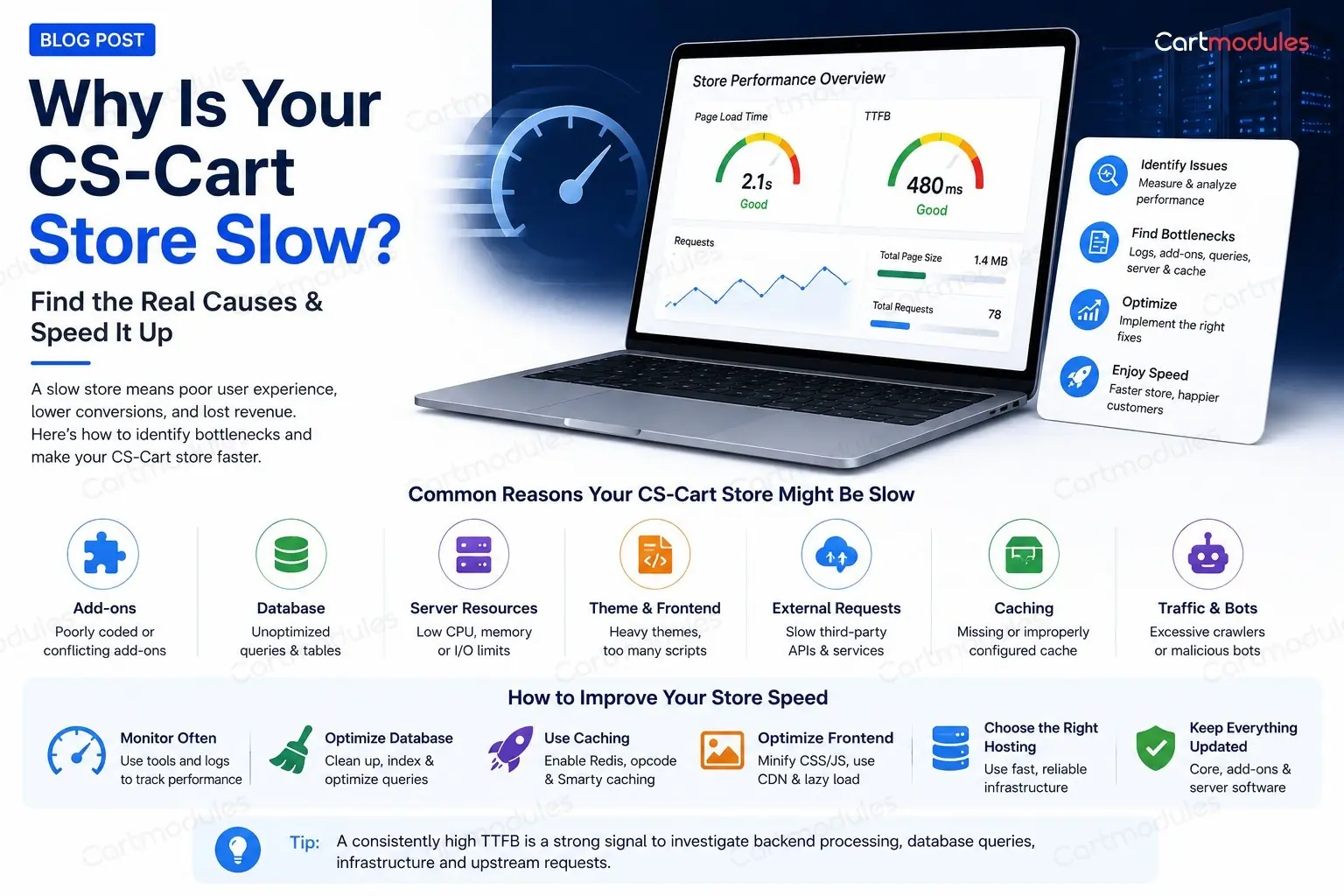
Why Is Your CS-Cart Store Slow?
Your host says you need a bigger plan. They might be right. But we've moved a lot of slow CS-Cart stores onto bigger servers and watched them stay slow, because the problem was one add-on, one query, or one background request quietly waiting for a timeout.
This post is about the step before the fixes: working out what's actually wrong. If you already know the cause, CS-Cart's own guide to server tuning covers PHP versions, OPcache, PHP-FPM, NGINX, MySQL and Redis well, and there's no point us rewriting it. This is about the diagnosis.
First, ask a better question
"The site is slow" is too vague to act on. Narrow it down before you touch anything.
Is it the storefront or the admin panel? They have almost nothing in common performance-wise. The storefront is heavily cached and mostly read. The admin panel is barely cached and full of writes, joins and counts. A slow storefront and a slow admin usually have entirely different causes.
Is it every page or specific pages? A slow product page and a slow category page point in different directions. A slow checkout is different again.
Is it slow all the time, or in bursts? Constant slowness suggests a query, a config problem, or genuinely undersized hardware. Bursts suggest traffic (real or otherwise) or a cron job stepping on the site.
Is it slow for everyone, or just logged-in users? Full-page caching only serves anonymous visitors. If your store is fast until someone logs in, your cache is working and the uncached path is the problem.
When did it start? Right after an upgrade, a new add-on, a traffic spike, or a catalogue import? The change that broke it is usually the last thing that changed.
Write the answers down. They'll cut your search in half.
Measure it, don't feel it
Use CS-Cart's own debug mode
CS-Cart can show you where the time goes on a given page. With debug mode turned on you get a breakdown of how long each block took to render, how many database queries ran, and how much memory was used. How you switch it on depends on your version and settings, so check the CS-Cart docs for yours.
This is the single most useful tool available and most store owners have never opened it.
What you're looking for:
- A single block eating most of the time. That's your suspect, and it usually belongs to an add-on
- A query count in the thousands. Any page firing thousands of queries has a problem in its data access, not on the server
- Memory close to your PHP limit. Raising the limit will stop the crashes and won't make it fast
Time the page from outside
Before you change anything, get a number you can compare against later:
curl -o /dev/null -s -w "dns=%{time_namelookup}s connect=%{time_connect}s ttfb=%{time_starttransfer}s total=%{time_total}s\n" https://yourstore.com/
Time to first byte is one of the most useful numbers to start with. It's how long your server took to think. If TTFB is 3 seconds, no amount of image optimisation or CDN work will save you. A consistently high TTFB is a strong signal to investigate backend processing, database queries, infrastructure and upstream requests.
If TTFB is fast and the page still feels slow, your problem is front-end: images, scripts, fonts, third-party tags. That's a different post.
Run it a few times. The first hit may be uncached.
Check whether caching is on at all
More stores than you'd think are running with caching disabled or misconfigured after a migration. Confirm which cache backend you're using and that it's actually connected. If you use full-page caching, check that pages are being served from it rather than rebuilt every time.
Three real cases worth knowing about
These are things that have genuinely bitten CS-Cart stores, and they illustrate why "buy a bigger server" is so often the wrong answer.
The admin panel waiting on an outbound request
A store owner reports the admin panel takes a minute per page. Server load is fine. Database is fine.
The cause: CS-Cart making a synchronous outbound HTTP request during page render, a call out to cs-cart.com for a licence-check image. Normally it takes milliseconds and nobody notices.
But if that outbound request can't complete, the page render sits and waits for the full timeout. And the reason it can't complete is often a firewall configured to DROP rather than REJECT outbound traffic. A REJECT fails instantly. A DROP means the connection hangs until it times out, and your admin page hangs with it.
Two fixes: turn off the "monitor core changes" setting that triggers the check, or change the firewall to REJECT so the failure is immediate.
The lesson: a slow page is not always a busy page. Sometimes it's a page that is doing nothing, waiting for something else.
An add-on firing thousands of queries on one screen
A case reported on the CS-Cart forum: a store's product edit page in the admin was crawling, and debug output showed roughly 4,000 SQL queries on a single page load, traced to the Required Products add-on. We're repeating someone else's report here rather than a store we measured, but the shape of it is worth knowing.
No server upgrade fixes 4,000 queries. You either fix the add-on's data access, or you turn it off.
The lesson: query count is a better signal than query time. One thousand fast queries will beat you as surely as one slow one.
Scrapers hammering the pages nobody caches
Product comparison, filter combinations and search URLs make an endless number of unique URLs. They're also usually excluded from full-page caching, because the output differs per visitor.
Point a scraper at them and every single request goes straight through to PHP and the database. CPU sits at 100%, real customers get slow pages, and your traffic reports show nothing unusual because most analytics don't count bots.
The lesson: look at your access logs, not just your analytics. Analytics shows you people. Logs show you everything.
Working through it
Step 1: look at the access log
Before blaming code, find out what's actually hitting the site.
Top IPs today:
awk '{print $1}' /var/log/nginx/access.log | sort | uniq -c | sort -rn | head -20
If one IP has made tens of thousands of requests, there's your traffic problem.
Most-requested URLs:
awk '{print $7}' /var/log/nginx/access.log | sort | uniq -c | sort -rn | head -30
Look for dispatch=products.search, comparison URLs, or filter URLs with long query strings near the top. Real customers don't browse like that.
Slowest requests, if your log format includes request time:
awk '$NF > 5 {print $NF, $7}' /var/log/nginx/access.log | sort -rn | head -30
Step 2: audit your add-ons
In our experience add-ons are one of the most common causes of a slow CS-Cart store, and the easiest thing to test.
On a staging copy (never on live), disable your third-party add-ons and time a page. Then re-enable them one at a time, timing after each.
Yes, it's tedious. It also finds the problem more reliably than anything else, and it takes an afternoon.
Things to be suspicious of:
- Anything that runs on every page load rather than the page it belongs to
- Anything doing an outbound API call during page render: currency rates, stock checks, personalisation, live shipping rates
- Anything added around the time the slowness started
- Add-ons from a vendor who has stopped updating them
Live shipping rate lookups at checkout deserve special mention. If a carrier's API is slow, your checkout is slow, and there's nothing wrong with your server at all.
Step 3: read the slow query log
You don't need to be a DBA. Switch on MySQL's slow query log with a threshold of a second or two, leave it for a day, then look at what's in it.
You're looking for the same query appearing over and over, not the single slowest one. A query taking 4 seconds once a day matters less than one taking 200ms that runs 50,000 times.
Common CS-Cart offenders:
- Product searches across a large catalogue with several filters applied. This is where an external search service like Algolia takes the load off your database entirely
- Anything joining products to features, options and variants at once
- Reporting queries in the admin panel over a wide date range
- Queries added by an add-on that didn't add an index to go with its new table
Once you've got the query, EXPLAIN it. If it says it's scanning hundreds of thousands of rows to return twelve, you need an index. A bigger server won't help.
Step 4: now consider the server
If you've ruled out add-ons, traffic and queries, look at the box.
Check whether you're actually resource-constrained rather than assuming it:
toporhtopduring a slow period: is CPU pegged, and by what?free -m: are you swapping? Swapping makes everything catastrophically slow and looks like a hundred other problemsdf -handdf -i: a full disk is obvious, but running out of inodes is not, and CS-Cart's cache directory generates an enormous number of small files- Database connections: are you hitting
max_connections?
Only when you can point at a specific resource running out does "bigger server" become the right answer. Then the things worth doing are the ones in CS-Cart's own tuning guide: a current PHP version, OPcache on and sized properly, PHP-FPM workers matched to your memory, and MySQL's buffer pool sized for your data.
Step 5: caching, in the right order
Roughly in order of effort-to-payoff:
Opcode cache (OPcache). Should already be on. Check it is, and that it isn't full. A full OPcache silently stops helping.
Object cache on Redis. Moving CS-Cart's cache off the filesystem onto Redis is often the highest-impact change for stores where filesystem caching has become the bottleneck, and it removes the inode problem at the same time.
Full-page cache. Serving anonymous visitors a cached page means most of your traffic never touches PHP. The catch is that it only helps logged-out users, and you have to be careful about what varies: currency, language, storefront. Get that wrong and you'll serve the wrong price to the wrong person, which is worse than being slow.
A CDN for static files. Real, but smaller than people expect, and it does nothing for TTFB.
Things people do that don't help
Buying a bigger server for a query problem. Doubles your bill, buys you maybe 20%, and the problem comes back as you grow.
Raising PHP's memory limit to fix a slow page. That fixes crashes, not speed.
Turning off all caching to "rule it out". Guarantees slowness and tells you nothing.
Clearing the cache constantly. If clearing the cache fixes it for ten minutes, you have a cache invalidation problem. Clearing it more often just spreads the cost around.
Optimising images when TTFB is 4 seconds. Worth doing eventually. Fixes nothing today.
A short version
- Storefront or admin? Everyone or logged-in only? When did it start?
- Measure TTFB. Consistently over about a second points you at the backend rather than the front end
- Run debug mode on a slow page. Look at block timings and query count
- Read the access log. Find bots and hot URLs
- Disable add-ons on staging, re-enable one at a time
- Turn on the slow query log for a day
- Only then look at hardware
- Object cache on Redis, then full-page cache for anonymous visitors
When to hand it over
If you've done all of that and you're stuck, or you've found the problem and it's inside an add-on you can't change, that's the point to get help.
We do performance work and server support for CS-Cart stores, and the honest thing to say is that most of the time it isn't the server. It's one add-on, one missing index, or one outbound call that hangs. Finding it takes a couple of hours. Buying a bigger server takes a couple of minutes and often doesn't work.
If your store is slow and you'd rather someone just told you why, send us the details.
Common questions
Sometimes, but far less often than hosts suggest. If the cause is one add-on firing thousands of queries, a missing database index, or a page waiting on an outbound request that times out, a bigger server changes almost nothing and you keep paying for it every month. Diagnose first.
Time to first byte is the number to watch. Consistently over about a second is a strong signal to look server-side: backend processing, queries and upstream requests, before a single byte reached the browser. If TTFB is fast and the page still feels slow, the problem is front-end: images, scripts, fonts, third-party tags. That's a different job.
They have almost nothing in common. The storefront is heavily cached and mostly reads. The admin panel is barely cached and full of writes, joins and counts. A slow admin usually points at an add-on, a reporting query, or an outbound request hanging during page render.
For stores where the file cache has become the bottleneck, this is often the highest-impact change, and it removes the inode problem at the same time, because CS-Cart's file cache generates an enormous number of tiny files. It's normally less work than people expect.
Don't. Disabling add-ons one at a time on a trading store will break checkout for real customers at some point during the test. Do it on a staging copy with the full database. Problems only show at real catalogue size.
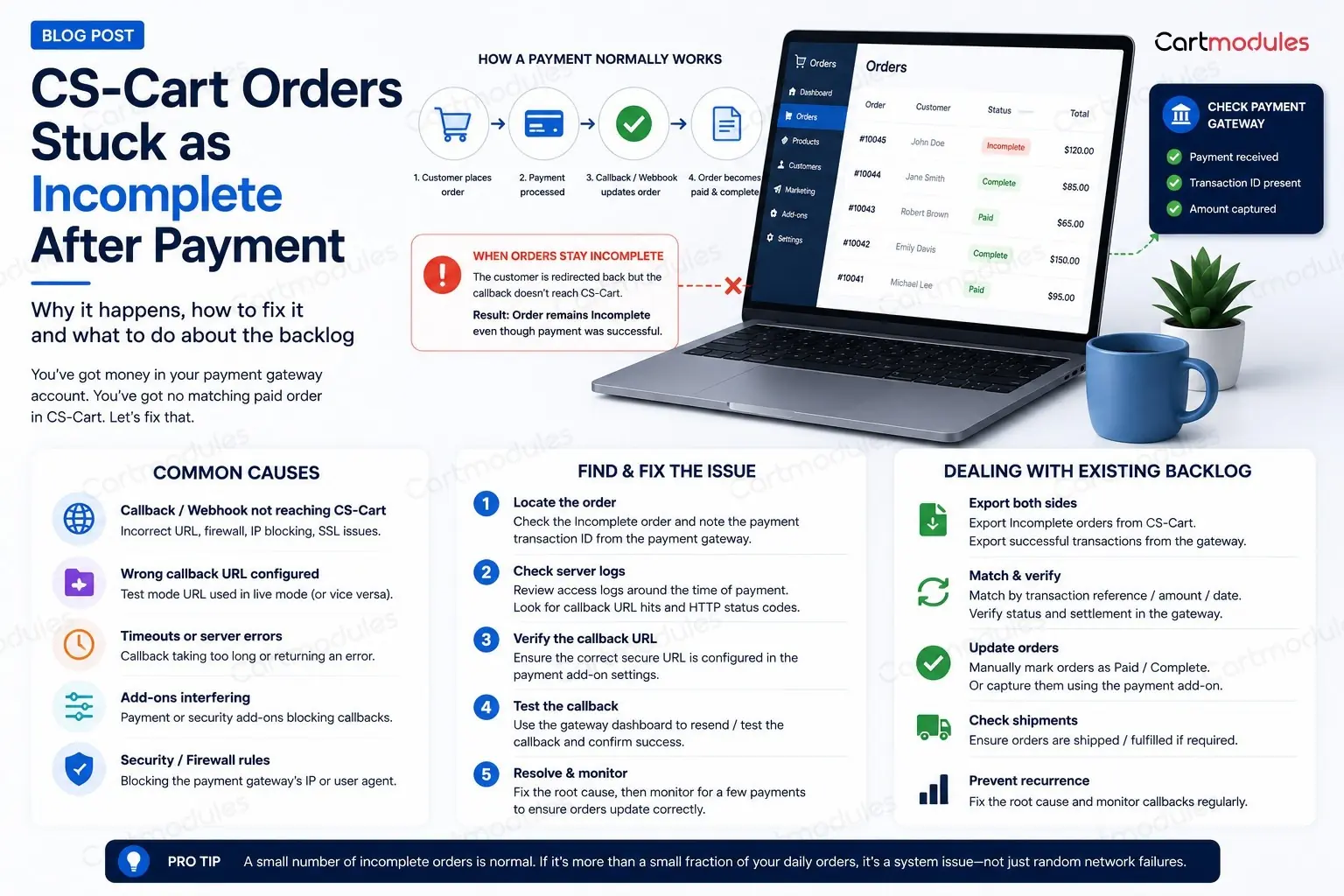
CS-Cart Orders Stuck as Incomplete After Payment
You've got money in your payment gateway account. You've got no matching paid order in CS-Cart. And you've got a customer emailing to ask where their stuff is.
If you're cross-checking a gateway dashboard against your order list by hand, this post is for you. Here's what "Incomplete" actually means, why it happens, and how to clear the backlog without shipping anything twice.
What Incomplete actually means
Worth being clear about this, because the name throws people off.
When a customer reaches checkout, CS-Cart creates the order row before sending them to the payment processor. It has to. The processor needs an order ID and an amount to work with. That order is created with the Incomplete status.
The customer then goes off to PayPal, Stripe, Tabby, whoever. They pay. And the processor is supposed to come back and tell your store what happened, in one of two ways:
- The return URL. The customer's browser is redirected back to your store with the result
- The callback (also called a webhook, or IPN in PayPal's case). The processor's own server posts the result directly to yours, behind the scenes
When one of those lands, CS-Cart moves the order to Paid, Processed, or whatever you've configured. When neither lands, the order sits at Incomplete forever.
So Incomplete doesn't mean "the customer didn't pay." It means your store was never told whether they paid. Those are very different problems, and only one of them costs you money.
The five reasons the message never arrives
In rough order of how often we see them:
1. The customer closed the tab
One of the most common, and the least worrying. They paid, saw the processor's confirmation, and closed the browser before the redirect back to your store completed.
If you rely on the return URL alone, that order stays Incomplete. If your callback is working properly, it gets updated anyway a few seconds later. This is the whole reason callbacks exist. And if a closed tab is breaking your orders, the real problem is number 2.
2. The callback URL is wrong, or was never set
Every processor needs to know where to send the notification. That's configured in one of two places, depending on the gateway: in the payment method settings inside CS-Cart, or in your account on the processor's own dashboard.
Common ways it goes wrong:
- The store moved from
httptohttpsand the callback URL still sayshttp - The store moved domain, or from a staging URL to the live one, and the callback URL didn't follow
- The store runs on
www.but the callback points at the non-www.version, or the other way round - The callback URL was never filled in at all, because the store worked fine in testing where the tester always waited for the redirect
Check this first. It's the cheapest thing to rule out.
3. Your firewall is blocking the processor
This one is nasty because everything looks correctly configured and it still doesn't work.
A payment callback is a POST request from a server you've never heard of, often from an IP range that changes, sometimes with an unusual user agent, sometimes with no user agent at all. That is a fairly good description of what a web application firewall is designed to block.
The usual culprits:
- mod_security rules rejecting the POST, often with a 403 or 406
- Cloudflare or a similar edge service challenging the request. A processor's server can't solve a JavaScript challenge, so it just fails
- A country-level IP block that happens to include the processor's servers
- Rate limiting, if you take a burst of orders
We've personally lost days to a mod_security rule that rejected any request arriving with an empty user agent. Nothing in the application logs suggested a firewall. The request never got that far.
4. The redirect strips the data
Some setups quietly mangle the callback before it arrives:
- An HTTP to HTTPS redirect that converts a POST into a GET, dropping the body
- A trailing-slash redirect doing the same thing
- A CDN or proxy in front of the store that doesn't forward POST bodies to the callback path
- A maintenance-mode or "store closed" setting that returns a 503 to everything, including the processor
Rule of thumb: the callback URL should be reachable directly, with no redirects. If typing it into a browser bounces you anywhere, the processor is getting bounced too.
5. The order genuinely wasn't paid
Sometimes Incomplete means what people assume it means. The customer got to the payment page, changed their mind, and closed it. The card was declined. The BNPL provider rejected them.
These orders should be Incomplete, and they should stay that way. Which is exactly why you can't fix this problem by bulk-marking everything as Paid.
The PayPal special case
PayPal deserves its own section because it behaves in a way that catches people out.
IPN is separate from the return URL, and it can be switched off. Check your PayPal account settings. If Instant Payment Notification is disabled, or pointing at an old URL, no amount of fixing things in CS-Cart will help.
The "Completed then cancelled" flip. PayPal can send an IPN saying Completed, and then send another one later reversing it because of a dispute, a chargeback, an eCheck that didn't clear, or the payment being flagged for review. If your store only reads the first message, you'll ship goods for money that has since gone back.
Pending is not Paid. eCheck payments, and payments held for review, come through as Pending. They may clear in a few days, or never. Treating Pending as Paid means shipping against money you don't have yet.
Sandbox and live IPNs are different endpoints. If the store was tested in sandbox and the setting didn't get switched, live payments send notifications nowhere useful.
How to work out which one you've got
Don't guess. Go and look, in this order.
Start with the order itself. Open the Incomplete order in the admin panel and check its status history and any payment data stored against it. If there's a transaction ID from the processor, the payment attempt reached the processor. Check its actual payment and settlement status there before assuming the callback is the only problem. If there's nothing at all, the customer probably never got that far.
Then go to your web server access log. This is the check that actually settles it, and it's the one people skip. Search for the callback URL path around the time of the order:
grep "your-callback-path" /var/log/nginx/access.log | tail -50
Three possible answers, and each one tells you what to do next:
- Nothing at all. The processor never sent it, or it was blocked before reaching your web server. Look at the processor's dashboard and your edge firewall
- A 403, 406 or 503. It arrived and something rejected it. That's your firewall or maintenance mode
- A 200. It arrived and your store accepted it, but didn't act on it. Now it's an application problem, and you need a developer
Check the processor's dashboard. Every serious gateway logs its notification attempts and the response it got. PayPal has an IPN history page. Stripe shows every webhook delivery and its response code. This tells you exactly what they sent and what came back, which settles most arguments in a minute.
Clearing the backlog without shipping twice
Once you know the cause, you still have a pile of orders to sort out. Be careful here. This is the step where stores lose real money.
Export both sides. Your Incomplete orders from CS-Cart, and your successful transactions from the gateway, for the same date range.
Match on the transaction reference, not the amount. Two customers ordering the same thing on the same day is normal. Matching on amount will pair the wrong ones.
Split into three piles:
- Paid at the gateway, Incomplete in the store. Real money you've received. These need updating to Paid and fulfilling
- Incomplete in the store, nothing at the gateway. Abandoned checkouts. Leave them. These are the ones to feed into an abandoned-cart email, not to chase for delivery
- Paid at the gateway, no order in the store at all. Rare, and worth investigating on its own. Usually a checkout that failed after payment
Before you mark anything Paid, check it hasn't already shipped. If your warehouse works from the gateway dashboard when the store looks wrong (and plenty do), some of those orders went out weeks ago.
Check for reversals. For each one you're about to mark as paid, confirm at the gateway that the payment is still settled and hasn't been refunded or charged back since.
Stopping it happening again
Test the callback before you go live, not just the payment. A test order in sandbox that you complete by patiently waiting for the redirect proves nothing about your callback. Complete a test payment and then close the tab immediately. If the order still updates, your callback works. If it doesn't, you've just found the bug before your customers did.
Test after every infrastructure change. New SSL certificate, domain change, moving to Cloudflare, a new firewall, a server migration, or turning maintenance mode on and off. All of these have broken working callbacks.
Allow your processor's callback traffic through the firewall. Where the provider publishes stable IP ranges, allow those. Not every provider has fixed ranges, so otherwise permit their documented callback paths. If you use mod_security, exclude the callback paths from the rule set rather than turning the whole thing off.
Set up an alert. If you have orders sitting at Incomplete for more than an hour, someone should hear about it. A store owner discovering this from a customer email is a store owner who has already lost the sale.
Watch the ratio, not the number. Some Incomplete orders are normal and healthy. Those are your abandoned checkouts. What matters is the share of them that turn out to be paid. In our experience, if that's more than a small fraction, something in the callback setup deserves investigation.
When it's a code problem
If the callback is arriving, returning a 200, and the order still isn't updating, you're past configuration and into the gateway integration itself. Usually one of:
- The callback is verifying a signature or hash against the wrong secret. Common after credentials are rotated, or after moving from sandbox to live
- The gateway add-on expects a field the processor no longer sends, because the processor updated their API
- The order status mapping is wrong, so a successful payment maps to a status that doesn't look like success
- Two callbacks arrive at once and race each other
That's a developer job. It's also the sort of thing we deal with constantly. We maintain payment gateway add-ons for CS-Cart across a lot of markets, and a broken callback is the most common reason anyone calls us about payments.
If you've worked through the checks above and the callback is landing but nothing happens, get in touch and we'll look at the integration.
One last thing: whatever you fix, fix it in staging first, and test it with a real payment you then refund. Payment code is the one part of a store where "it looked fine" isn't good enough.
Common questions
No, and it's the most expensive mistake you can make here. Some of those orders genuinely weren't paid: the customer changed their mind, or the card was declined. Marking them Paid means picking, packing and shipping goods nobody paid for. Match them against your gateway's transaction list first.
Some are completely healthy. Those are your abandoned checkouts, and every store has them. What matters is the share of Incomplete orders that turn out to have been paid at the gateway. In our experience, if that's more than a small fraction, something in your callback setup deserves investigation.
Every gateway. PayPal just makes it more visible, because IPN is a separate setting that can be switched off independently, and because PayPal can reverse a Completed notification later. The underlying cause is the same everywhere: your store was never told the result.
Check your web server access log for the callback path. If nothing appears at all, the request is being blocked before it reaches your application. Usually mod_security, a Cloudflare challenge, or a country-level IP block. A processor's server can't solve a JavaScript challenge, so it simply fails.
Complete a test payment in sandbox, then close the browser tab immediately without waiting for the redirect. If the order still updates, your callback works. If it doesn't, you've found the bug before your customers did. Repeat this after any SSL, domain, firewall or hosting change.

